This design engineering glossary defines the terms used in the guide to becoming a design engineer, in plain words. Each one links to the chapter or post that goes deeper. The terms fall into four groups: the role and the titles around it, the design ladder, the design work, and the pull request loop.
The role and the titles around it
Design engineer
A design engineer is a product designer who designs in code and ships their work to production through pull requests, instead of handing off mockups for engineers to rebuild. What a design engineer does all day is chapter 1. The title, the portfolio, interviews and pay are in the design engineer career chapter.
The software role only shares a name with the mechanical design engineer, who works on physical parts, CAD and manufacturing. Job listings for the bare title, on LinkedIn or Indeed, are mostly the mechanical job.
Design engineering
Design engineering is the discipline: designing a product in the material it ships in. It is not new. The manifesto makes the case with Dyson, the Eameses and Dieter Rams: it is how great products were always made, before the tools split the designer from the product. Why the title came back now, and why some say it should not, is chapter 2.
Product and marketing design engineers
Companies hire the title on two tracks. A product design engineer works in the app's codebase, on the features customers use, and an engineering team owns production. A marketing design engineer builds the website, launch pages and motion work, and sometimes runs the site too. This guide is about the product track, and chapter 1 compares the two.
UX engineer
A UX engineer is an engineer with a design lens who builds prototypes, design system tooling and front ends for research. Google Design describes two lenses, design and engineering, and Google hires UX engineers as engineers who build for its design teams. UX engineer vs design engineer compares the two roles.
Design technologist
A design technologist is a designer with front-end skills, or a front-end developer with a designer's eye, who builds prototypes to test design ideas. Eddie Lou's What is a design technologist? calls them "designers with front-end development skills". At Indeed they build prototypes and experiments and support the design system, then hand finished work to UX developers for production. A design engineer does both halves. The design technologist explainer covers how the two roles differ.
Creative developer, creative technologist and UX developer
At Hatch Conference 2026, Mehmet Baytaş described design engineering as a regrouping of three older titles under one name. Each covered part of the same work, and chapter 1 places the old titles on the two tracks.
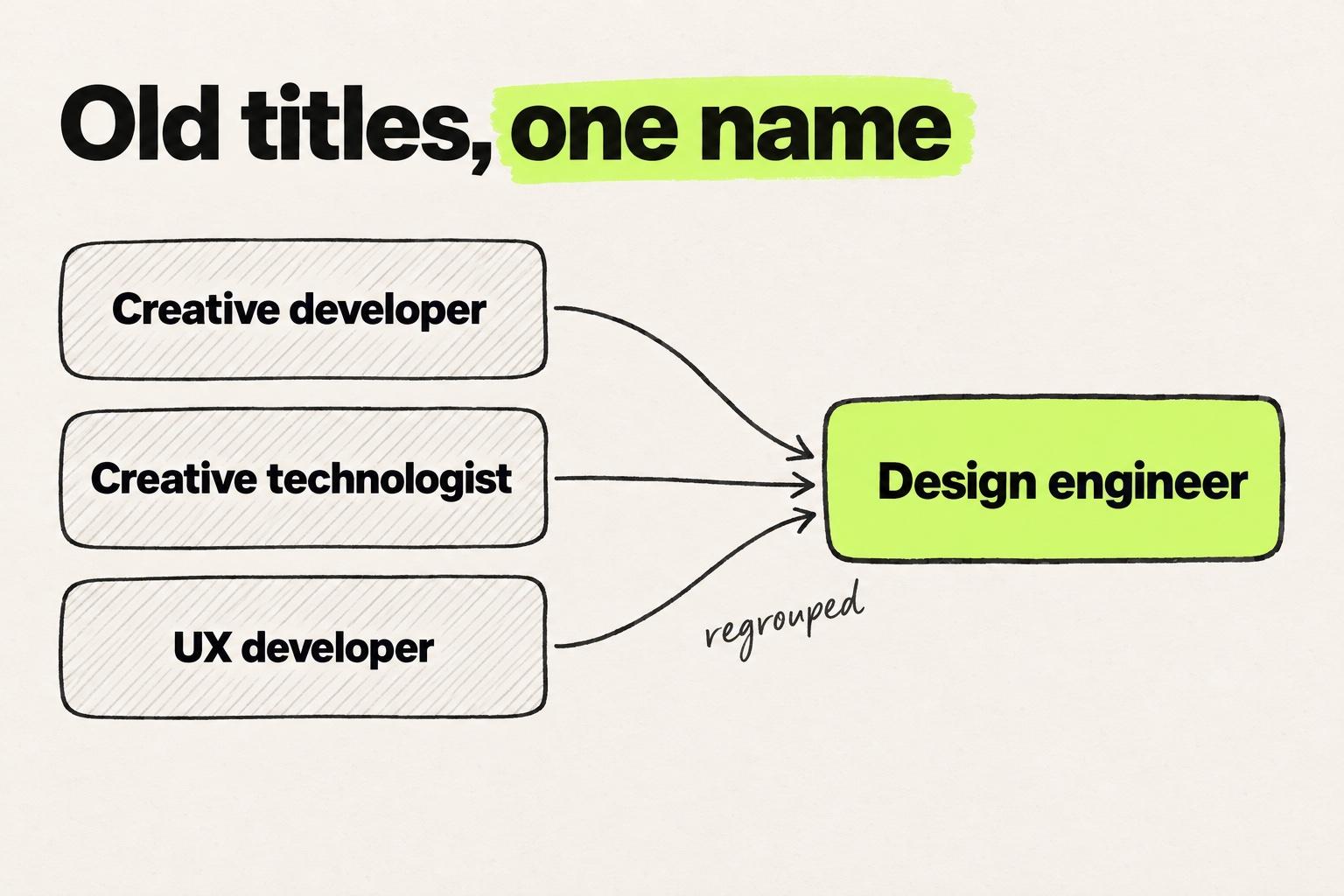
- Creative developer: a developer who builds expressive web work, such as campaign sites, brand pages, motion and interactive pieces, usually for a brand team or an agency. The marketing design engineer is its closest heir.
- Creative technologist: in Wikipedia's words, "a developer who understands the creative process and (often) the world of advertising". They prototype with new technology to find out what a campaign or product could do, so the work is concepts more than production code.
- UX developer: a front-end developer who specializes in the layer users touch: markup, CSS, accessibility and interaction, often inside a UX team.
Front-end developer
A front-end developer is an engineer who owns the client side of the product: logic, data fetching, performance and front-end architecture. Many build UI well. The difference from a design engineer is what each is reviewed on, which chapter 1's comparison table lays out.
Design engineering team
A design engineering team is a design team whose designers ship to the codebase, with engineers as reviewers. The chapter for design leads covers how to build one.
The design ladder
The new design ladder
The new design ladder is this guide's name for the three kinds of product designer today. The first lives in Figma, the second prototypes with AI tools, and the third designs in code and opens pull requests. Only the third ships. The new design ladder introduces it, and the three rungs chapter turns it into a self-assessment.
AI-native designer
An AI-native designer is a designer on the second rung: they leave Figma early to build working demos with AI tools such as Lovable, v0 or Bolt. The demo answers more questions than a frame, but it lives in a fresh project, so it does not ship. Rung two describes the day, and AI tools for designers sorted by where the output lands covers the tools.
Vibe coding
Vibe coding is building software by describing it to an AI agent in plain language and accepting what comes back, without reading the code. It produces convincing demos. A design engineer uses the same tools the other way round: they decide, name the real components, and review the result. Why AI-native prototypes still do not ship explains the gap.
Prototype
A prototype is a working model of a design built to answer a question before the real thing is built. It can be a Figma click-through, an AI-generated app, or a change on the real codebase. The step-by-step prototype guide walks through each kind, and the 2026 tools roundup compares the tools.
The design work
Design in code
To design in code is to make design decisions directly in the product's codebase, with its real components, tokens and data, instead of in a separate mockup tool. The code is the output, and an AI agent can do the typing. Four routes from a design to a pull request compares it with the routes that start from a Figma file or a screenshot.
Design handoff
A design handoff is the step where a designer passes a finished design to engineers to rebuild in code, as files, specs and tickets. Something is lost in each pass: spacing, states and interactions drift. Why UX breaks after handoff walks through where the design gets lost.
Design QA
Design QA is checking the built product against the design before it ships and fixing the differences. On a handoff team it means screenshots and tickets. A design engineer fixes the drift in the pull request. The design QA process has the checklist, and design QA in code shows the workflow.
Design system
A design system is a team's shared set of components, tokens and rules for building its interface. The version in code is often not the version in Figma, and the one in code is the one that ships. The five concepts a design engineer learns include how yours is built.
Component
A component is a reusable piece of interface in code, such as a Button or a Card, with props: the options it accepts, like size or variant. Knowing the real names lets you ask an agent to reuse a component instead of inventing a new one. Chapter 4 covers learning your component names as the second concept.
Design tokens
Design tokens are named values for color, spacing, type and radius, kept in one place so design files and components use the same ones. The Design Tokens Community Group calls a token the single source of truth for a design decision. In Tailwind, a class like gap-6 uses a spacing token where a raw number would go. In our calls with designers, a common complaint about AI output is hardcoded values where the team's tokens should be. The design tokens guide covers how they get from Figma into code.
In AI tool pricing, "tokens" means something else: the units of text a model reads and writes, which set the bill.
The pull request loop
Codebase and repository
The codebase is all the code of a product. A repository, or repo, is where that code is stored with its history, usually on GitHub. Designers new to git can mistake a "repository" for a design asset library. It holds the product's code, not design files. Finding where a change lives is where the first pull request walkthrough opens the code.
Branch, commit and diff
A branch is a separate copy of the code where you can change things without touching the product until it merges. A commit is a saved checkpoint on a branch. A diff shows what changed in the code, line by line. How to read your own diff is step 5 of the first pull request walkthrough.
Pull request
A pull request is the request to merge a branch into the product. It holds the diff, a description of why, and the review. Merging applies the branch to the product's main code. It replaces the handoff document as the thing a designer hands over. Your first pull request as a designer walks through one from branch to merge.
Code review
Code review is an engineer reading a pull request, commenting, and approving it or asking for changes. It stays the gate for every change, a design engineer's included. What the role removes is the wait before the review. Getting through the review covers a first one, and where AI slows front-end teams down shows why review became the bottleneck.
Preview link
A preview link is a temporary deployment of a branch at its own URL, so reviewers can click through the change before it merges. Every pull request should carry one, as the pull request and the preview section of chapter 5 explains.
Coding agent
A coding agent is an AI tool that reads a codebase and writes changes to it from instructions, such as Cursor, Claude Code or Codex. The coding agents compared shows where each stops.
MCP server
An MCP server gives an AI agent access to another tool's data through MCP (Model Context Protocol), a standard way to connect agents to tools. The Figma MCP server, for example, hands a coding agent the design context of a selection. What the Figma MCP server can and cannot do is covered in chapter 5.
Further reading
The definitions this guide builds on, the places practitioners gather, and the case against the move.
The definitions
- Design Engineering at Vercel, Vercel. The most cited definition: taste plus technical skill, shipping on its own. Read it for the version of the role that starts from engineering.
- A collection of design engineers, Maggie Appleton. The one-line definition Wikipedia quotes, then ten practitioners worth studying, from Rauno Freiberg to Bret Victor.
- The attributes of a design engineer, Kathryn Gonzalez. Autonomy, craft and fidelity, from someone who built the practice at DoorDash. It works as a hiring rubric.
- UX Engineering at Google. Google's description of the neighboring role, with the skills and a typical day.
- Design engineer, Jeremy Keith, and The origins of design engineering, David Luhr. Why front-end work split in two, and how the title spread over the past decade.
- What is a design engineer and how do you become one?, Ioana Teleanu, and What's a design engineer, anyway?, Yaron Schoen. The 2026 view from the designer's side. Schoen argues that the scope you are willing to own matters more than the title.
- Impeccable by design, Paul Bakaus at a16z. The case that design work moved into the live product, and designers are following it.
Libraries and a handbook
- ui.land, Emil Kowalski's library for designers and engineers. Start with the interviews with people from companies such as Vercel and Linear, then the curated resources.
- DesEngs, curated by Maze Heart. A directory of tools, articles, practitioners, communities and job listings for design engineers, sorted by whether you want to read, watch or build.
- Design Engineering Handbook, Natalya Shelburne, Adekunle Oduye, Kim Williams and Eddie Lou. InVision published it free, and it now sits behind DesignBetter's paid subscription. Read it for how a company sets up design engineering as a practice, through prototyping, design systems and workflows.
Jobs
- designengineer.io and designengineerjob.com, two job boards for the software title. Read a dozen postings and you will see which companies hire for the product track and which for marketing.
The case against
- You don't want to be a design engineer, Mehmet Baytaş at Hatch Conference 2026. He was a design engineer on Attio's marketing team, and the talk is the answer he gives designers who ask how to make the move. Its abstract says the job at senior levels means "less creative design work and far more serious software engineering": tech debt, deployment pipelines, incident response and team politics. That holds where the design engineer owns production, and chapter 2 answers it. The recording went to ticket holders.
- Where's the AI design renaissance?, Erik Kennedy of Learn UI Design. He finds no evidence yet that AI tools make the design process faster. Read it before you bet a quarter on one.