Prototyping tools in 2026 split into three kinds. Design tools such as Figma and ProtoPie make click-throughs. AI generators such as v0, Lovable, Bolt and Figma Make build a fresh app from a prompt. Codebase tools such as Cursor, Claude Code and Modeinspect work in your existing repo. The right pick depends on the question the prototype has to answer, and on whether that answer needs the real product.
Key takeaways
- Ten tools, sorted by where the output lives and whether it touches real data. Pick by the question the prototype has to answer, not by the deadline.
- Of the AI generators, v0 and Bolt can start from an existing repository and Lovable cannot. Cursor, Claude Code and Modeinspect work in the repo itself, on the data it already reaches.
- Rough prototypes find most of the same usability problems as polished ones. High fidelity earns its cost for workflow, timing and stakeholder buy-in.
- A generated app in a throwaway repo can answer a concept question, not a feasibility one. For a change to a product you already ship, prototype with the real components, tokens and data, so the branch that answered the question can become the pull request.
The best prototyping tools, compared
The best tools for prototyping a new product and for changing an existing one are different, so the table below is a map rather than a ranking. It sorts ten tools by where the output lives and whether it touches real data. Five of them start from your existing repo, and four of those run on your own data: v0 through Git Import, Cursor, Claude Code and Modeinspect.
Four of the tools build in your existing repo, on your product's data.
- Data: simulated
- Figma prototypingFramerProtoPieConnect: partial
- Data: the tool's own backend
- Figma Make
- Data: the tool's own backend
- LovableBoltdefault
- Data: your product's data
- v0default
- Data: the tool's own backend
- Boltimport
- Data: your product's data
- v0Git ImportCursorClaude CodeModeinspect
| Output lives in | Simulated | The tool's own backend | Your product's data |
|---|---|---|---|
| The tool's own file or hosting | Figma prototypingFramerProtoPieConnect: partial | Figma Make | none |
| A new project or repo | none | LovableBoltdefault | v0default |
| Your existing repo | none | Boltimport | v0Git ImportCursorClaude CodeModeinspect |
Grouped by where the output lives and what data the prototype runs on. v0 and Bolt appear twice, because each starts a new project by default and can also work in a repo you import. Play is left out: its apps have been unsupported since 20 April 2026.
| Tool | Kind | Fidelity | Where the output lives | Real product data | Price tier (October 2026) | Where it stops |
|---|---|---|---|---|---|---|
| Figma prototyping | Design tool: click-through | Low to high: variables, conditional logic, Smart Animate | Figma file, separate from code | No, simulated | Free Starter, Professional Full seat $16 per month billed annually, $20 billed monthly | No code output, no live data, no repo connection |
| Figma Make | AI generator: prompt to app | High, code-backed | A new Make file inside Figma | Partial, its own Supabase backend, not yours | Full seat on a paid plan, uses AI credits (Professional: 3,000 a month) | Pushes only to a new repo it creates. Editing your existing repo is a closed beta, and Code Layers is an open beta |
| Framer | Design tool: website builder with AI agent | High, for marketing sites | Framer hosting, per site | No, CMS and API-fed content only | Free tier, Basic $10 per site per month, editors $20 each per month | No export to your repo, not for app prototypes |
| ProtoPie | Design tool: no-code interaction prototyping | High: logic, variables, formulas, sensors | ProtoPie Cloud | Partial, via Connect add-on ($20 per user per month) | Free tier, Basic $25 per month for one seat, Pro $47 per editor per month | No production code, handoff is specs and recordings |
| v0 (Vercel) | AI generator: full-stack app | High, real Next.js, Tailwind and shadcn code | A new v0 project by default, or an existing GitHub repo via Git Import, on an isolated branch with a pull request | Yes, connects to your APIs and databases | Free tier, Plus from $30 per user per month | No design canvas, prompts and previews only |
| Lovable | AI generator: React app | High, generated React app | A new GitHub repo it creates, no import of an existing repo | Its own Supabase backend, not yours | Free tier, Pro from $25 per month | Cannot start from your codebase |
| Bolt (bolt.new) | AI generator: full-stack app | High, full-stack web app | A new Bolt project, or an existing GitHub repo you import, with commits synced to it | Bolt Database or Supabase, not your backend | Free tier, Pro $25 per month, Teams $30 per member per month | Token-metered, branch merges happen outside Bolt |
| Cursor | Codebase tool: AI code editor and agent | As high as your codebase | Your existing repo | Yes, whatever the codebase already talks to | Free, Plus $8 per month with Grok models only, Premium $30 per month, Teams from $30 per user per month | No canvas, no share link, an engineer's environment |
| Claude Code (Anthropic) | Codebase tool: agentic coding in terminal, IDE, desktop and web | As high as your codebase | Your existing repo, opens branches and pull requests | Yes, plus MCP for external data | Included in paid Claude plans, Pro $20 per month | No canvas or preview link, you read diffs or run the app |
| Modeinspect | Codebase tool: design canvas on the real codebase | The real product: design system one-to-one, dynamic states, real flows | Your existing repo, ends in a pull request | Yes, live data | Hobby $0, Pro $20 per person per month | Next.js React codebases that use Tailwind, review stays with engineers |
Play, a native iOS prototyping app, is discontinued: its iOS and macOS apps have been unsupported since 20 April 2026 (Play).
Sources:
- Figma: pricing, prototyping guide
- Figma Make: product page, backend docs, Config 2026 recap
- Framer: pricing
- ProtoPie: pricing
- v0: pricing, docs, Git Import
- Lovable: plans, GitHub
- Bolt: pricing, Git
- Cursor: pricing
- Claude Code: pricing, overview
- Modeinspect: pricing
Design-tool prototyping (Figma, ProtoPie, Framer)
Figma remains the default for click-through prototypes, with variables, conditional logic and Smart Animate (Figma Help Center, Guide to prototyping in Figma). ProtoPie is the dedicated interactive prototype tool of the three, with formulas, sensors and, through Connect, real API input. Framer is a website builder and belongs here only for marketing sites. All three share one boundary: the output lives in the tool, not in your repo, so engineers rebuild it from a handoff such as Figma's Dev Mode. Figma alternatives for product teams that ship code sorts the options by whether they remove the handoff.
AI app generators (Figma Make, v0, Lovable, Bolt)
These tools turn a prompt into a running app. Figma reported that over half of its paid customers paying more than $100,000 a year were building in Figma Make weekly (Figma). They differ in where the app lives and what it runs on. Figma Make and Lovable run on their own Supabase backends, Bolt on Bolt Database or Supabase, and v0 connects to your APIs and databases. The wider field, beyond prototyping, is sorted in the best AI tools for designers.
Coding agents (Cursor, Claude Code)
Cursor and Claude Code work in the existing repo, so a prototype built with them can be as high fidelity as the product, if the agent uses the existing components. Both are engineers' environments: there is no canvas and no share link, so a designer sees the result by reading a diff or running the app. For a designer who is comfortable in a terminal, they are a cheap route to the real product.
Prototyping on the real product (Modeinspect)
Modeinspect opens the team's existing codebase as a design canvas. It uses the design system one-to-one, runs on live data, has an interactive demo mode and live preview links, and ends in a pull request that engineers review. The fit is a change to an existing product: a new settings flow, a redesigned table, a checkout step. A new product can start in Modeinspect too, as a new project that becomes a GitHub repository when it is ready.
Which prototyping tools work in an existing codebase
Five prototyping tools start from an existing repository: v0 (through Git Import), Bolt (through its GitHub import), Cursor, Claude Code and Modeinspect. Lovable cannot: it creates a new GitHub repo and does not import an existing one. The difference that matters next is what the prototype runs on. v0 connects to your APIs and databases, and Bolt runs on Bolt Database or Supabase rather than your backend. Cursor, Claude Code and Modeinspect use whatever data the codebase already reaches.
| Tool | Starts from your existing repo | How | Where it stops |
|---|---|---|---|
| v0 (Vercel) | Yes | Git Import opens an existing GitHub repo on an isolated branch and publishes a pull request | No design canvas, prompts and previews only |
| Bolt (bolt.new) | Yes | Imports an existing GitHub repo and commits to it automatically | Branch merges happen in GitHub, and it runs on Bolt Database or Supabase, not your backend |
| Lovable | No | Creates a new GitHub repo, no import of an existing one | Cannot start from your codebase |
| Cursor | Yes | Agent edits the existing repo with whatever data the codebase already reaches | No canvas, no share link, an engineer's environment |
| Claude Code (Anthropic) | Yes | Works in the existing repo, opens branches and pull requests, MCP for external data | No canvas or preview link, you read diffs or run the app |
| Modeinspect | Yes | Opens the existing codebase as a design canvas with the design system one-to-one, live data and live preview links, and ends in a pull request engineers review | Next.js React codebases that use Tailwind |
Figma Make pushes only to a new repo it creates: editing your existing repo is a closed beta, and Code Layers, its codebase connection, is an open beta.
Starting from the repo and running on real customer data are two different questions. The second is answered in AI prototyping tools that connect to your real codebase and customer data.
What a prototype is for
A prototype exists to answer a question before anyone commits to building the product. The question decides the fidelity, the tool, and how long the prototype should live.
Definition
A prototype is a model of a product built to answer a question before the product is built.
Three questions are worth a prototype:
- Concept. Is this the right thing to build?
- Usability. Can people use it, and where do they get stuck?
- Feasibility. Can we build it this way, with the real components and data?
Most requests arrive without an answer to any of the three. In the NaPiRE survey, the problem teams named most often was incomplete or hidden requirements (Méndez Fernández et al.). A stakeholder who reads a spec nods. A stakeholder who clicks through a prototype tells you the third screen is wrong. Why that argues for prototyping before the spec exists is in why prototypes should be your first move.
The same step reads right in the spec and wrong on the third screen.
Checkout
- 1.Pick a plan.
- 2.Enter payment details.
- 3.Confirm, then return the user to the dashboard.
Looks good.
Why the dashboard? They need the invoice.
- Step 3 says dashboard in both. Reading it, nobody pictured the page. Clicking into it, the stakeholder did.
An example checkout flow. The spec and the click-through say the same thing. Only one of them gets clicked.
Low fidelity vs high fidelity: which to build
Low fidelity finds most of the same usability problems as high fidelity. High fidelity earns its cost when the question is about workflow, timing, or stakeholder buy-in.
Virzi, Sokolov and Karis ran two experiments and found "substantially the same sets of usability problems" in low- and high-fidelity conditions (ACM CHI). Walker, Takayama and Landay found the two "equally good at uncovering usability issues" (HFES). Jeff Sauro's review of the fidelity literature sets the limit: low fidelity is a fair stand-in for finding problems and a worse one for task times and aesthetic ratings (MeasuringU).
NN/g's guidance is that a high-fidelity prototype lets you test workflow and specific UI components because it looks and behaves like live software (NN/g).
So the rule of prototype design is to match fidelity to the question. Concept questions want low fidelity, because polish invites feedback on the polish. Workflow, timing and buy-in questions want high fidelity, and in 2026 that increasingly means real components. The full comparison is in low fidelity vs high fidelity prototypes, and where polish stops paying for itself is covered in high fidelity design.
Click-through vs coded interactive prototypes
A click-through prototype links static screens with hotspots. A coded prototype runs logic, holds state, and reads data. One shows what the product looks like. The other shows what it does.
The limits of a click-through show up as soon as the question involves behaviour. Every state is a separate screen, so a form with five validation cases becomes five artboards. Data is typed in by hand, so every user sees the same three tidy rows. When the test is over, nothing carries into the build.
A field with five validation cases is five artboards in a click-through and one function in code.
function emailError(email) {if (!email) return "Required";if (!isEmail(email)) return "Not an email";if (isPersonal(email)) return "Use a work email";if (isTaken(email)) return "Already in use";return null;}
In the click-through, each case is a separate artboard with the text typed in by hand. In code, the cases are branches of one function, and the field shows whichever one the input triggers.
Coded prototypes remove those limits and add two costs. The first is setup. The second is temptation: once it runs real logic, polishing it feels like progress. A request on Figma's forum, "Figma Make should output a Figma prototype", shows the seam (Figma Forum). It wants the behaviour of code with the shareability of a design file, and today those are two separate artifacts.
For an app prototype that has to answer a usability or feasibility question, coded wins, provided setup does not land on the designer. A step-by-step walkthrough of both routes is in our guide to creating a software prototype.
AI prototyping on a new project vs on your codebase
AI prototyping makes the first working version cheap. It does not make that version mergeable, and it does not connect it to the product it is meant to change.
Developers' most cited frustration in Stack Overflow's developer survey was "AI solutions that are almost right, but not quite" (Stack Overflow). For a prototype, almost right is the difference between a demo and the feature. A generated app that ignores the design system, hardcodes values instead of tokens and lives in a throwaway repo can answer a concept question. It cannot answer a feasibility question, because it was not built the way the product is built. And it cannot become the feature without engineers rebuilding it inside the real codebase.
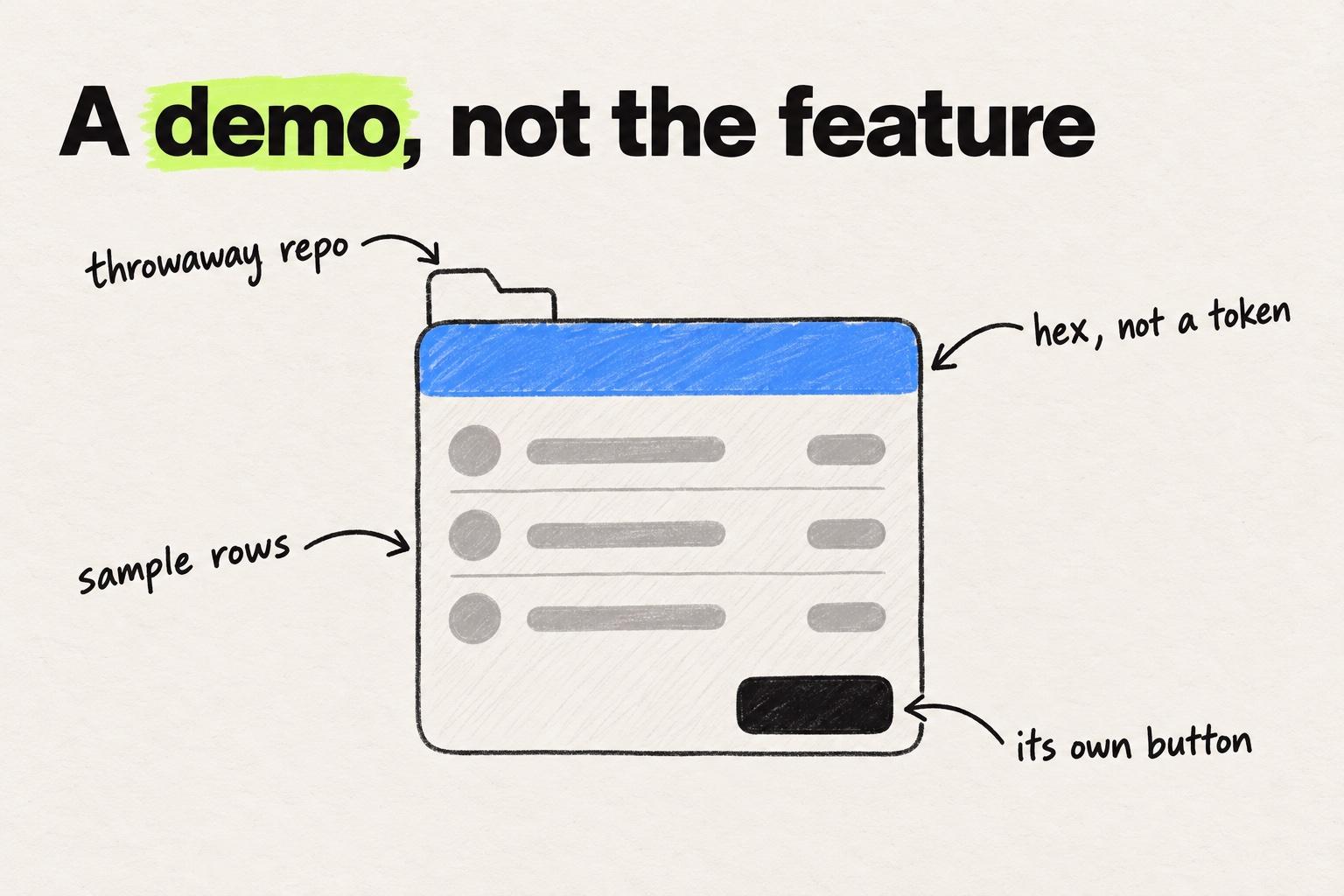
If you are the only designer on a team of ten engineers, you have probably run this loop already. A Figma click-through for the concept, a v0 or Lovable build to show it working, then a ticket. The build is the part that never reaches the product.
The blank-canvas cost is gone, and the empty state and the error state get built instead of skipped. The adoption and code-quality evidence is in AI prototyping tools compared on what they solve and what they break.
Why prototype with real components and data
We hear the same thing on our calls with customers: most of the work is a change to something that already exists. A prototype of that change is only convincing when it uses the real components, the real tokens, and the real data.
Four reasons:
- Stakeholders react to their own data. A mockup with "Acme Corp" in every row gets a shrug. Last week's real accounts get a decision.
- Edge cases appear without being drawn. Long names, empty states, missing permissions.
- The design system is already the answer to "what should this look like". A prototype that reinvents the button answers a question nobody asked.
- The prototype can become the pull request. The same branch that answered the question is the one engineers review.
Sample data gives three tidy rows. The product's data brings the cases nobody drew.
- Acme Corp12 membersEdit
- Acme Corp12 membersEdit
- Acme Corp12 membersEdit
- Northwind Freight and Customs Brokerage Partners48 membersEdit
- Kestrel LabsNo members yetEdit
- Halden Health230 membersView only
- A name long enough to wrap the row.
- An account with nothing in it yet: the empty state.
- An account this user can only view, so there is no Edit.
The same account list twice. Only the data changes.
Modeinspect is one way to do this. The result is a pull request in the codebase's own conventions, code engineers want to merge. A spacing change the reviewer asks for lands in the same pull request, which is design QA in the pull request.
Prelude's team went from about 31 days to 13 from idea to merged pull request, and from five-plus handoffs per feature to one (Prelude case study).
The scope is Next.js React codebases that use Tailwind.
When to skip the prototype and go straight to code
Skip the prototype when the question is already answered and building the real thing costs about as much as faking it. On a codebase with a mature design system, that describes a lot of changes: a relabelled button, a new column in an existing table.
Do not skip when the question is still open: a new concept with no existing flow, or more than one plausible direction. The rule in full is under "When to skip the mockup and prototype in code" in low fidelity vs high fidelity prototypes.
When a designer can change the real product with design controls and a preview, "go straight to code" no longer means "wait for an engineer". Which route fits which change is compared in every route from a design to a shipped change.
How to demo and test a prototype
Test with a few users on real tasks, then demo to stakeholders in the state they will remember.
Five users are enough for one round. Jakob Nielsen's analysis found that five users uncover most of the usability problems in a design (NN/g). His recommendation is three rounds of five rather than one round of fifteen, fixing between rounds.
Run fifteen test sessions as three rounds of five, fixing the design between rounds.
The same fifteen sessions. One round gives one chance to fix. Three rounds give three, and each later round tests the design after the fixes.
Source: Nielsen Norman Group, Why you only need to test with 5 users
Five steps, whatever the tool:
- Write the question. One sentence, before the prototype exists. "Can a workspace admin change the billing owner without help" is a question. "Test the settings page" is not.
- Pick tasks, not features. Give each user a goal and watch. Do not tour the interface.
- Use real or realistic data. Long names, empty lists, an account with 400 items.
- Share a link, not a screen recording. A recording shows the path the presenter chose. A link lets the stakeholder take their own.
- Capture the decision. Write down what changed and why, so the build starts from the decision rather than from memory.
Example
Imagine a team that wants to move billing ownership from a modal into a settings tab. They write the question on Monday, build the tab on the real components with live data on Tuesday, and share a preview link with five customers midweek. Three of five look for the control under "Members" first. The tab gets a cross-link from Members on Friday, and the same branch becomes the pull request.
How to choose between prototyping tools
Choose by the question and by where the answer has to live.
| Question | Fidelity needed | Tool kind |
|---|---|---|
| Is this the right idea? | Low | Sketches or a Figma click-through |
| Can people use this flow? | Medium to high | Figma with variables, ProtoPie, or an AI generator such as v0 for a fresh app |
| Will stakeholders fund it? | High | AI generator for a new product, real-codebase tool for an existing one |
| Can we build it this way, with our data? | The real product | Cursor or Claude Code on the existing repo |
| Does it have to become the feature, with a designer building it? | The real product | Modeinspect on the existing repo: a design canvas with a preview link, ending in a pull request |
Two checks come straight from the comparison table: where the output lives, and whether the prototype runs on your data. A tool whose output lives in its own file or a new repo is still the right choice for a concept test. It is the wrong one for a change to the product you already ship. For a native mobile app the codebase rows do not apply at all, and with Play discontinued the table has no native row left. ProtoPie, with its sensors and logic, is the nearest fit.
To see prototyping on a real codebase with your own components and data, book a demo.
Frequently asked questions
What is the best prototyping tool in 2026?
For a concept question (is this the right idea), use a Figma click-through. For a usability question (can people use this flow), use Figma with variables or ProtoPie, or an AI generator such as v0 for a fresh app. For a feasibility question (can we build it this way, with our data), use a codebase tool, Cursor or Claude Code, on the existing repo. For a change that has to become the feature in a product you already ship, with a designer building it, use Modeinspect on the existing repo. It is a design canvas with a preview link that ends in a pull request engineers review, for Next.js React codebases that use Tailwind. Prices and where each tool stops are in the comparison table above.
Can AI generate a prototype automatically?
Yes, tools such as v0, Lovable, Bolt and Figma Make build a running app from a text prompt in minutes. By default the output is a new project on the tool's own backend. It answers concept questions well but does not use your design system or data unless the tool works inside your codebase.
Can Lovable or Figma Make start from an existing codebase?
No. Lovable creates a new GitHub repo and does not import an existing one. Figma Make pushes only to a new repo it creates, with editing of an existing repo in a closed beta and Code Layers in an open beta. The generators that can start from your repo are v0, through Git Import, and Bolt, through its GitHub import. Cursor, Claude Code and Modeinspect work in the repo itself.
What is the difference between a click-through and a code-based prototype?
A click-through prototype links static screens with hotspots, while a code-based prototype runs real logic, holds state and can read real data. In a click-through every state is a separate screen and the data is typed in by hand. A code-based prototype can carry over into the build instead of being redrawn by an engineer.
Which prototyping tools produce production-ready code?
Tools that work in your existing repository, such as Cursor, Claude Code and Modeinspect, produce code in your codebase that engineers review as a pull request. Lovable produces real code too, but in a new project that has to be rebuilt inside your product before it can ship. v0 can build on an existing repo through Git Import, and Bolt can import an existing repo and commit to it.
How many users do you need to test a prototype?
Five users per round find most usability problems, according to Nielsen Norman Group. Run three rounds of five, fixing between rounds, rather than one round of fifteen.
Which high fidelity prototyping tools are worth using in 2026?
For a high fidelity prototype that looks like the product, Figma with variables and ProtoPie cover most flows, and Framer if the prototype is a marketing page. For one that behaves like the product, an AI generator such as Figma Make, v0, Lovable or Bolt builds a running app from a prompt. For a change to a product you already ship, the highest fidelity is the product itself: Cursor, Claude Code or Modeinspect on the real codebase, with your components and data. Where polish stops paying for itself is covered in low fidelity vs high fidelity prototypes.
Which AI prototyping tools connect to your real codebase and customer data?
Cursor, Claude Code and Modeinspect work inside the existing repository, so the prototype uses your components and can read your APIs. v0 can work on an existing repo through Git Import, and Bolt can import a repo and commit to it. Lovable and Figma Make start a new project by default, so the prototype runs on their backend with sample data. What that difference means for product teams is in AI prototyping and the problems it is actually solving.