Your design system, used one-to-one.
A design system is the components, tokens and rules a team builds from. Modeinspect works on the one in your codebase: agents place your real React components, the design panel offers your Tailwind theme, and every change ends in a pull request.
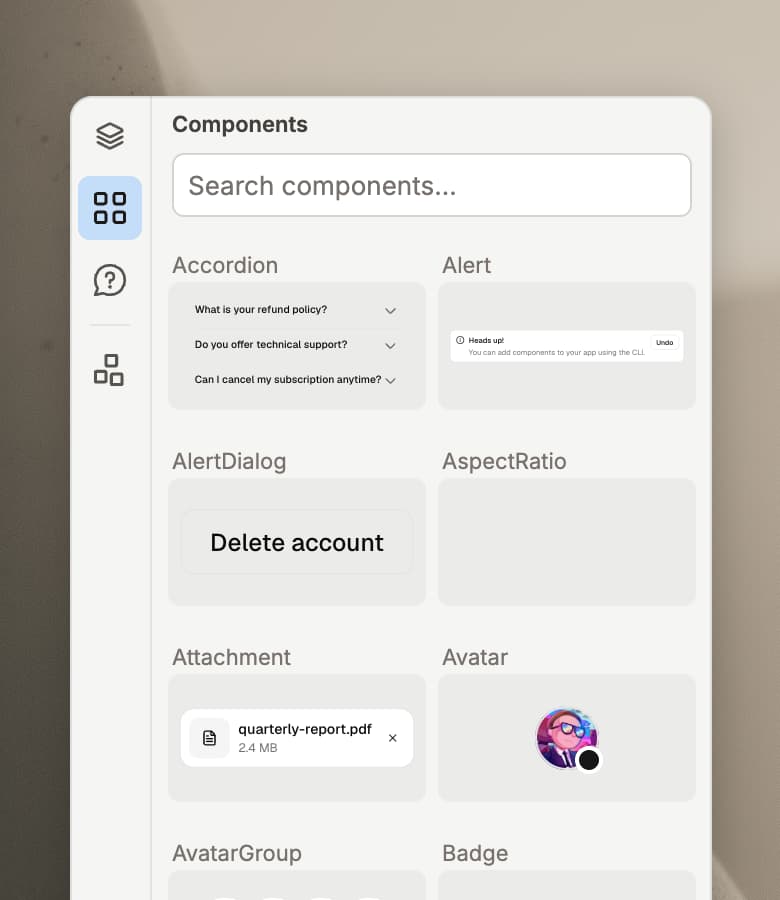
Your real components
Modeinspect finds your team's React components after setup. Drag them onto the canvas, mention them in chat and edit their props. Agents place the same components too, so new work starts from the system you already have.
Props, not overrides
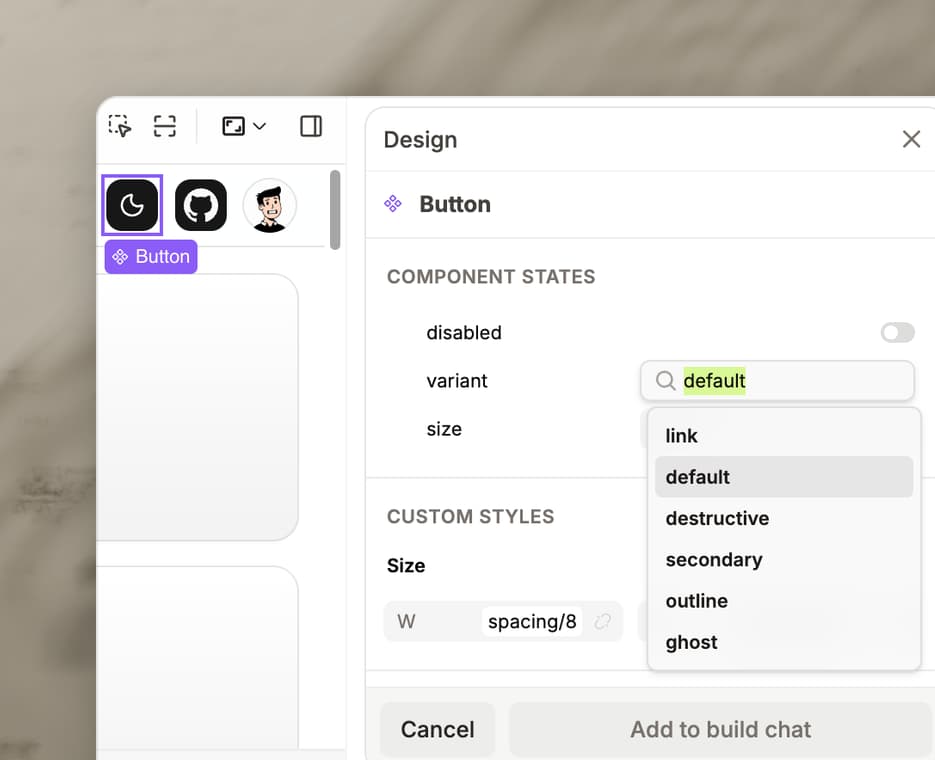
Select one of your components in the live app and set its props from the design panel, such as variant, size or disabled, picking from the variants the component already has.
Tokens in the design panel
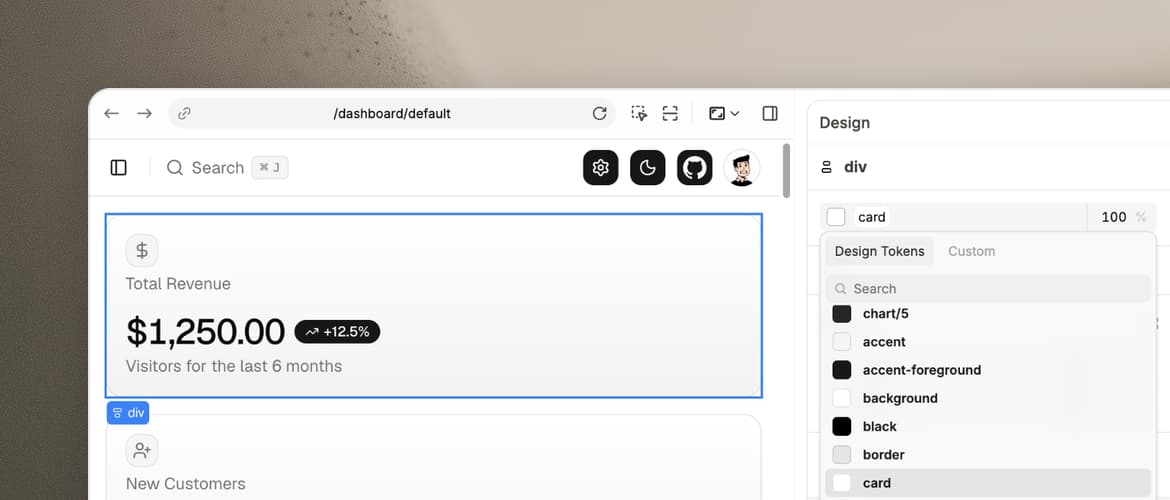
Select an element in the live app and pick spacing, color and type from your own Tailwind theme instead of raw numbers. Tokens are offered, not enforced: a value that matches no token stays a one-off, in plain sight in the diff.
Follows your rules
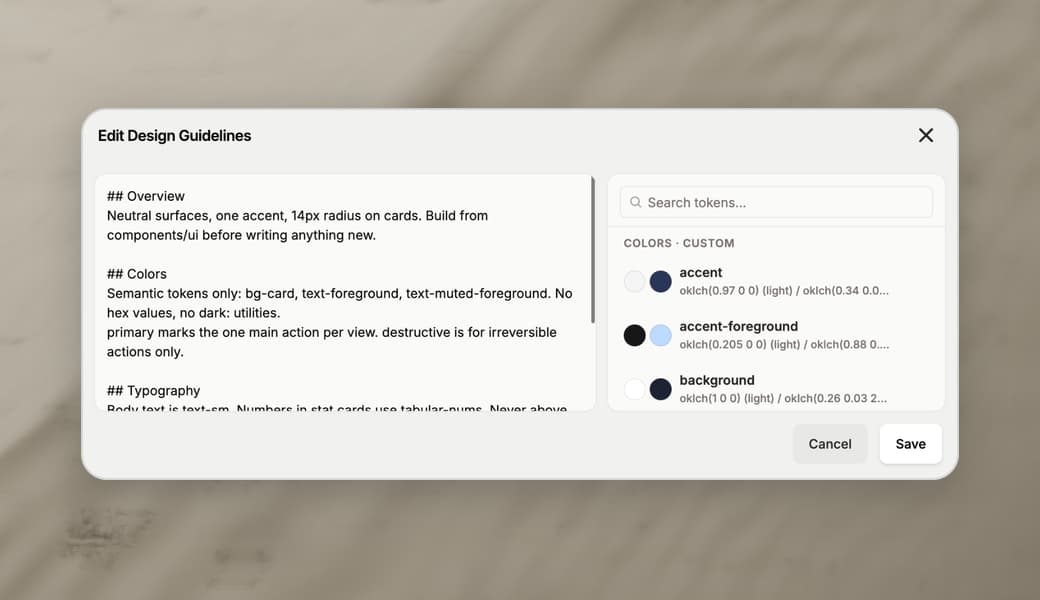
Edit your codebase's design guidelines in Modeinspect, and agents follow them along with your Tailwind theme. The coding agent also reads your repo's CLAUDE.md, AGENTS.md and Claude, Cursor and agent rule files, and saves short rules your team can view and edit.
Pull request
One click creates a branch, commits the changes and opens a pull request with a written title and description. Each agent change is type-checked first. Engineers review and merge it like any other change. Modeinspect works on Next.js React codebases that use Tailwind.
Design system guide
How to create a design system that people and AI agents both use
Seven steps to a design system in code, from cutting the catalog to governing how components get used, with the instructions and lint that keep agents on it.
What is a design system?
A design system is the set of design tokens, components and usage guidelines a team builds its interface from. A component library is the components alone. It becomes a system when the tokens and guidelines travel with it.
Read this section in the guide ↗Why the code has to be the source of truth
Coding agents read the repo, not the Figma library. Figma files, Storybook, generated docs and screenshots are copies that drift, and an agent trusts a stale copy as much as a current one.
Read this section in the guide ↗Step 1: subtract before you add
Inventory the components the codebase already has, then delete duplicates, one-screen components and decoy folders. Three dropdowns mean an agent picks one of three.
Read this section in the guide ↗Step 2: turn every design decision into a token
Tokenize color, spacing, radius, type, shadow, motion and breakpoints, and give each token a one-line comment saying what it is for, so an agent picks the right one instead of guessing.
Read this section in the guide ↗Step 3: build components an agent can pick from the name
Generic names, one typed prop per design decision, className as the escape hatch, every part of a compound component exported with a full example, sizing written down and the variant exposed in the DOM.
Read this section in the guide ↗Step 4: document behavior, not only looks
Behavioral variants, such as a single or multiple accordion, look identical at rest. Give each one prop on the root, a named example and a line saying when to use it.
Read this section in the guide ↗Step 5: put instructions next to the code they govern
Four layers: a component index in AGENTS.md, scoped rules for UI files, docs beside each component with when not to use it, and lint for whatever keeps breaking.
Read this section in the guide ↗Step 6: theme in tokens, never in components
A dark: class on every element is a pair someone forgets. A scale that flips per theme, semantic tokens that point at it and components that use only those tokens keep dark mode in one place.
Read this section in the guide ↗Step 7: govern the usage, not the definition
Agents edit the component file by default, which changes every screen. Keep props, placement and composition open, enforce the rest with lint, and measure corrections per component usage.
Read this section in the guide ↗How to prompt an agent against your design system
Name the components to use and where they live, point at an existing usage, and ask for the change rather than the result. Code an MCP server returns is one more copy.
Read this section in the guide ↗Where Modeinspect fits
Modeinspect works on the design system in your Next.js React codebase that uses Tailwind: your real components, tokens from your theme in the design panel, your repo's rules files and a pull request at the end.
Read this section in the guide ↗Questions
Also in the loop.
SHIP TODAY