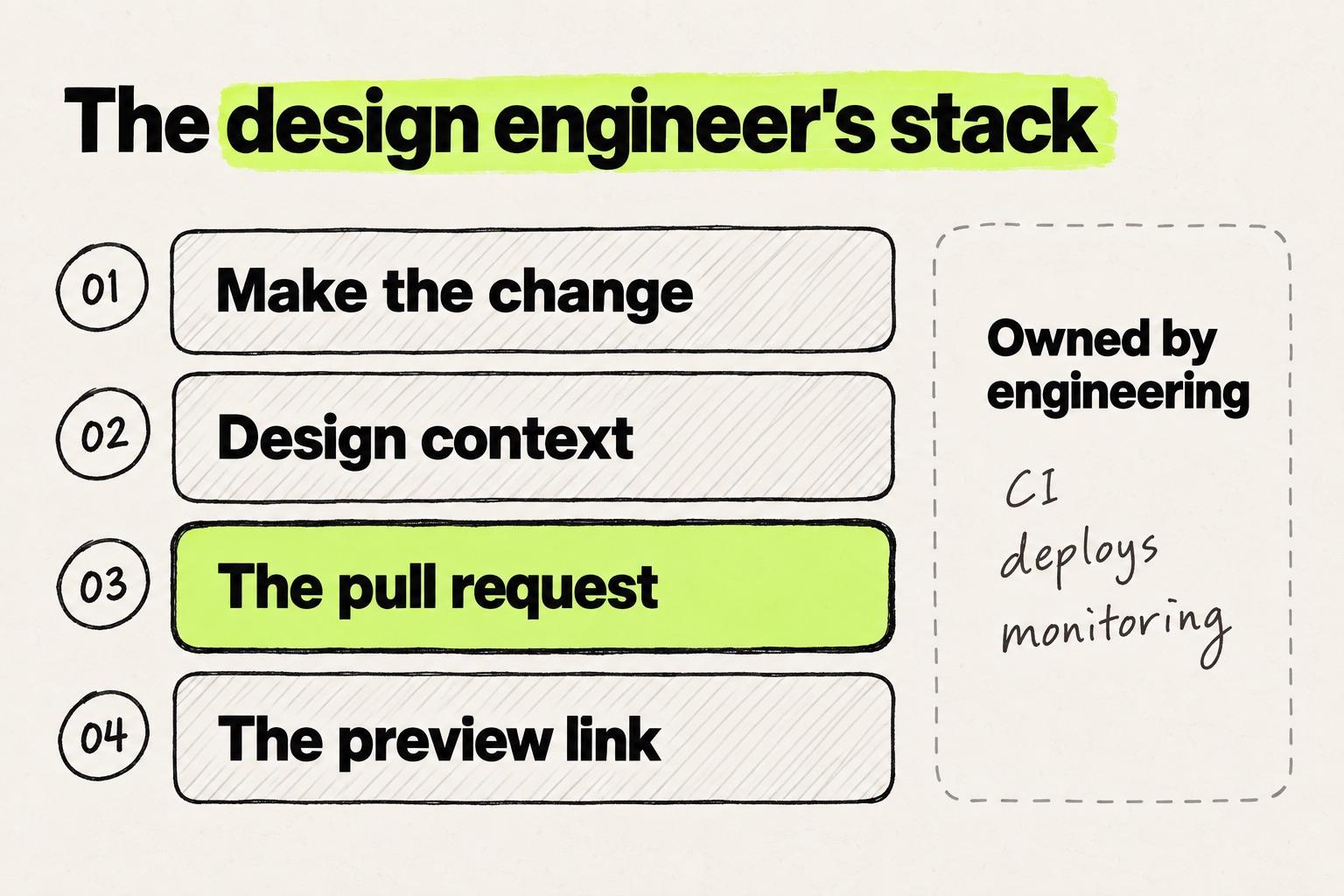
Design engineer tools are easier to choose by job than by brand. The four jobs are making the change on the running product, design context, the pull request and the preview link. Two tools that look like rivals often do different jobs, so the table below sorts them by what they touch and where they stop.
This is chapter 5 of the guide to becoming a design engineer, and it takes the stack one job at a time.
Design engineer tools compared side by side
| Tool (September 2026) | What it is | Existing codebase | How a change reaches a pull request | Local setup for the designer | Where it stops | Price |
|---|---|---|---|---|---|---|
| Cursor with Design Mode (Anysphere) | AI code editor. Design Mode edits a running app by click, drawing or voice | Yes | Git built in. Cloud agents open pull requests | Yes | Every visual change is an agent edit | Hobby $0. Pro $20/month. Teams $40/user/month (pricing) |
| Claude Code (Anthropic) | Coding agent in terminal, IDE, desktop app and browser | Yes | Opens the pull request when asked | Yes, except on the web | No canvas. Changes start as prompts | Not on Free. Pro $20/month. Team Standard $25/seat/month (pricing) |
| Codex (OpenAI) | Coding agent in ChatGPT, CLI, IDE and cloud | Yes. The cloud needs GitHub (GitLab in beta) | Cloud tasks open a pull request | None in the cloud. Yes for CLI and IDE | No canvas. Changes start as prompts | Plus $20/month. Business $25/user/month (pricing) |
| Figma MCP server (Figma) | Figma design context for a coding agent | Indirectly, through your agent | Through your agent | Whatever your agent needs | Context, not code. Calls capped by seat | Remote server on all plans and seats |
| Figma Make (Figma) | Prompt-to-app, code-backed | No, except a closed beta (Mac only) | Pushes to a new repo. The beta opens pull requests | None. The beta runs on your Mac | Builds a new app | Full seat on a paid plan, Professional $16/month (pricing) |
| Onlook | Open-source visual editor for code | Yes, React with Tailwind | Export, or publish to GitHub | Yes to self-host. Hosted is a closed beta | React and Tailwind only | Free to self-host. Hosted: custom (pricing) |
| Paper | HTML and CSS canvas with a read-write MCP server | Through your agent | Your agent writes the code | Paper Desktop plus a local agent | The code comes from your agent | Free. Pro $20/editor/month (pricing) |
| pen.dev, formerly Pencil (High Agency) | Agentic vector canvas: app, editor extension or CLI | Works beside the code | Through your agent | Yes, in your project folder | The code comes from your agent | Currently free (pricing) |
| Lovable | Full-stack app builder | No. Repo import is unsupported | Syncs to a repo Lovable creates | None | Its own React and Supabase stack | Free (5 credits/day). Pro from $25/month (plans) |
| v0 (Vercel) | Prompt-to-app with Git Import | Yes, through Git Import | Branch, Vercel preview, pull request | None | No free-form design canvas | Free ($5 credits). Plus $30/user/month (pricing) |
| Modeinspect | Canvas on your codebase, or on a new project | Yes | From the canvas, with context, specs and preview links | None. Runs in a private cloud environment | Next.js React codebases that use Tailwind only. Not a general code editor | Hobby $0. Pro $20/month per person (pricing) |
"Existing codebase" means the tool works on your team's current repository rather than a new project. "Local setup" means cloning the repository, installing dependencies and running a dev server on your own machine.
Coding agents: Cursor, Claude Code and Codex
A coding agent is where many designers who ship make the change today. It covers two jobs in one tool: it edits the code, and it opens the pull request. Where all three stop is the same: every change goes through the agent, so a two-pixel padding fix takes the same loop as a new screen.
Most designers in the Designer Fund and Foundation Capital AI in Design Report 2026 had already used an AI coding tool such as Claude Code, Codex, Cursor or GitHub Copilot.
In person, we hear a similar mix. At a design conference in May 2026, the stack designers described to us most often was Claude Design, Cursor and the Figma MCP server. The designer quotes in this chapter come from our interviews and usability sessions with designers and design leads.
Cursor
Cursor is an AI code editor from Anysphere. Its Design Mode lets you click an element, draw on the page or describe a change by voice, in an app running inside Cursor's browser. The agent receives the element's component, computed styles and props, then edits the code. Cloud agents can open pull requests.
Where it stops: the app has to run locally first, and every visual change is an agent edit. See how Cursor for designers compares with Modeinspect for the trade-offs.
Claude Code
Claude Code is Anthropic's coding agent, in the terminal, an IDE, a desktop app and the browser. Its docs say it "stages changes, writes commit messages, creates branches, and opens pull requests". Claude Code on the web runs in a cloud session with no local setup, and is labelled a research preview.
Where it stops: there is no canvas, so every change starts as a sentence. A brand designer at a data company told us he works across four windows: Figma, Claude Code, localhost and a worktree manager. From Figma to Claude Code, he "can get to 60%" fidelity. "Coming back to Figma is a pain."
Others have moved further. A design lead at a large tech company told us most of his team had switched from Figma to Claude Code. Testing many ideas mattered more to them than polishing one.
Claude Code is not on the free plan, and Team Standard seats include it. For the full workflow, see our guide to Claude Code for designers.
Codex
OpenAI's Codex runs in the ChatGPT desktop app, a CLI, an IDE extension and Codex cloud. Connect GitHub and a cloud task can "open a pull request when the work is ready", with no local setup. It stops where Claude Code stops, with words in and a diff out.
Design context: Figma, the MCP server and Code Connect
Figma stays in the stack with a narrower job: the place where the design is explored and decided. In the UX Tools and Tommy Geoco State of Prototyping survey, most designers still open Figma every week, well ahead of Claude Code and Figma Make.
The Figma MCP server gives a coding agent the design context of a selection, and the agent writes the code. The remote server works on every plan and seat. Calls are capped: 6 a month for View and Collab seats on paid plans, 200 a day for Dev and Full seats on Professional (Figma rate limits). Setup is covered in the Figma MCP server guide.
Code Connect maps Figma components to the components in your repository, so the context names your real Button instead of describing a blue rectangle. It needs a Dev or Full seat on Organization or Enterprise, and an engineer usually sets it up.
Where it stops: the context runs one way. A design-system lead at a financial-services group told us code changes "do not get back to figma". A freelance design lead who rebuilt a Claude Code prototype in Figma had to reapply the tokens by hand.
Canvases on code: Onlook, Paper, pen.dev and Modeinspect
Canvas tools replace the prompt with visual controls, and they reach code in two ways. Onlook and Modeinspect edit the running product. Paper and pen.dev hold a design that your coding agent turns into code.
Test the canvas basics before you commit. A freelance design lead who tried Pencil missed snapping to a grid, spacing between elements and parts of auto layout, basics he took for granted in Figma.
Noon came out of stealth in April 2026 and says it works from a company's codebase (Entrepreneur India). For how canvases compare with the Figma and prompt routes, see every route from a design to a pull request.
Onlook
Onlook is an open-source visual editor for code, under the Apache 2.0 license. Its FAQ says you can import your project and start editing. Work can be exported or published to GitHub. Where it stops: React projects with Tailwind, Next.js first. Self-hosting is free, and the hosted product is a closed beta.
Paper
Paper is an HTML and CSS canvas with an MCP server that agents can read and write, so tokens and components sync between canvas and code. Paper does not open pull requests: your agent writes the code in a local checkout.
pen.dev
pen.dev, formerly Pencil, is an agentic vector canvas that runs as a desktop app, an editor extension or a CLI. Its .pen design files live in your repository next to the code, and your agent writes the code from them.
Modeinspect
Modeinspect is a web app connected to your codebase. It runs the product in a private cloud environment, so the designer has no local setup. The codebase is connected once, and for teams that book a demo, Modeinspect's team does that during onboarding. With no codebase yet, you can start a new project from scratch and turn it into a GitHub repository when it is ready.
The canvas gives layout and style controls on the real components, matched one to one, with the design system's tokens and live data. Preview links carry the change to reviewers, and the pull request opens from the canvas with context, specs and preview links.
Where it stops: it supports Next.js React codebases that use Tailwind, and it is not a general code editor. A designer already fluent in Claude Code or Cursor gets less from it. Pro includes pull requests from the canvas (pricing).
Prompt-to-app tools: where Lovable, v0, Figma Make and Claude Design fit
Prompt-to-app tools are built for a new app with its own components, so by default the result is a second codebase rather than a diff against yours. That is fine for a throwaway prototype. v0 and a Figma Make beta can also work on an existing repo. Chapter 3 calls the default rung two of the ladder.
- Lovable syncs with a GitHub repo it creates. Its GitHub docs list importing an existing repository as unsupported.
- v0 works on your repo too. Its Git Import opens a working branch with a Vercel preview, creates a pull request, and never pushes to your base branch.
- Figma Make now pushes to GitHub, but only one way, to a new repo Make creates. Make in your local codebase edits your team's running app and opens a pull request. It is a closed beta with a waitlist, Mac only, set up once by an engineer.
- Claude Design, from Anthropic Labs, is a canvas for prototypes and decks, in beta on Pro, Max, Team and Enterprise plans (Claude Help Center). It builds a design system from your repo and hands the build to Claude Code (Anthropic).
For choosing among them, see prototyping tools sorted by where the output lives.
The pull request and the preview
Every stack ends in the same two artifacts: a pull request an engineer reviews, and a link where anyone can see the change. Keep these, whatever else you drop.
Most agents and canvas tools open the pull request for you. If yours does not, GitHub Desktop handles branch, commit and push "without needing to memorize or look up syntax", and it is free.
The preview link usually comes from hosting that engineering set up once. Vercel builds a preview for every branch and pull request and posts the link in the pull request. Comments on those previews are free on all plans, though commenters need a Vercel account. Netlify Deploy Previews work the same way. Storybook is optional, and engineers install it.
Without a preview link, the work travels as video. A six-person design team we met prototyped locally with Claude Code and shared screen recordings. Their local copy of the front end was out of sync with the real repository, so they could not open pull requests against it.
The review stays too: however good the AI output, an engineer reads the diff before it merges.
What you can skip when engineering owns production
When an engineering team owns production, a designer's stack stops at the pull request and the preview. Everything that keeps software running after the merge belongs to someone else.
Mehmet Baytaş, previously a design engineer on Attio's marketing team, showed what the other job adds in his Hatch Conference 2026 keynote. When he started maintaining Attio's website two years earlier, Cursor was the team's first AI tool, used for targeted edits. "We review every line still," he said. As the volume of code grew, the team added error logging and regression testing.
Then came conversational agents, then git worktrees: "I started using something called [worktrees], which I had never heard of before." Today the team runs swarms of agents. "We have even new tools that were invented like 2 months ago."
That arc happened on a marketing website, where the design engineer owns production. On the product track, most of it lands on engineering. Chapter 4 has the concept-level skip list. Here is the tool-level one.
| Skip | Why you can skip it |
|---|---|
| CI configuration | Repository admins set the required checks. Your pull request only has to pass them. |
| Deploys and hosting accounts | Vercel and Netlify build a preview per pull request, and a merge to main ships it. |
| Error logging, monitoring and regression suites | They protect production, which engineering runs. |
| Git worktrees | They check out several branches at once for parallel sessions. One small pull request at a time does not need them. |
| Agent swarms | Claude Code's version, agent teams, sits behind an experimental flag. |
| Dependency and supply-chain security | Dependency review was CISA's first recommendation after the 2025 npm compromise, and it is engineering and security work. |
Three starter stacks
Which design engineer tech stack fits depends on where you work today.
A Figma-first designer on a Next.js product. Keep Figma for design context and make the change on a canvas on the codebase. Modeinspect runs without local setup. Onlook works once an engineer sets up a self-hosted copy, and Cursor's Design Mode once the app runs on your machine. The pull request comes from the tool, the preview from your team's hosting.
A designer comfortable in a repo. Use Claude Code, Cursor or Codex, whichever your engineers use, with the Figma MCP server for context. Open the pull request with the agent or GitHub Desktop, and let Vercel or Netlify build the preview. Skip canvas tools unless prompting small visual changes wears you down.
A designer exploring a new product idea. Use v0, Lovable, Figma Make or a new Modeinspect project. There is no codebase yet, so a new one is fine, and the tool's share link is the preview. If the idea becomes a product, engineering decides whether the prototype becomes its codebase or its reference.
Do you need a design engineer course?
No, not for the product track. designengineer.pro, by Sunal Sood and Shashi Kumar, costs $99 and teaches you to build a React Native app and a macOS app with Claude and Cursor. Building new apps is a different skill from changing your team's product.
The free vendor courses teach the tools. Claude Code 101 from Anthropic Academy is 12 lessons, about 90 minutes, and Cursor Learn is aimed at developers. The five concepts from chapter 4 live in your own codebase, and that is where you learn them.
How this stack will change
The four jobs will outlast most of the names in the table.
Baytaş's advice on tools was plain: "you just have to keep up with the technology." The tools do not always cooperate. The day he took the screenshots for his talk, a cloud agent he had started from Slack failed, and a colleague could not say why either.
On the product track, keeping up is lighter. You pick one tool per job, and when a better one arrives, you swap one row, not the stack.
The next chapter puts the stack to work: your first pull request, from the change to the merge. For AI tools beyond the code path, see the best AI tools for designers.