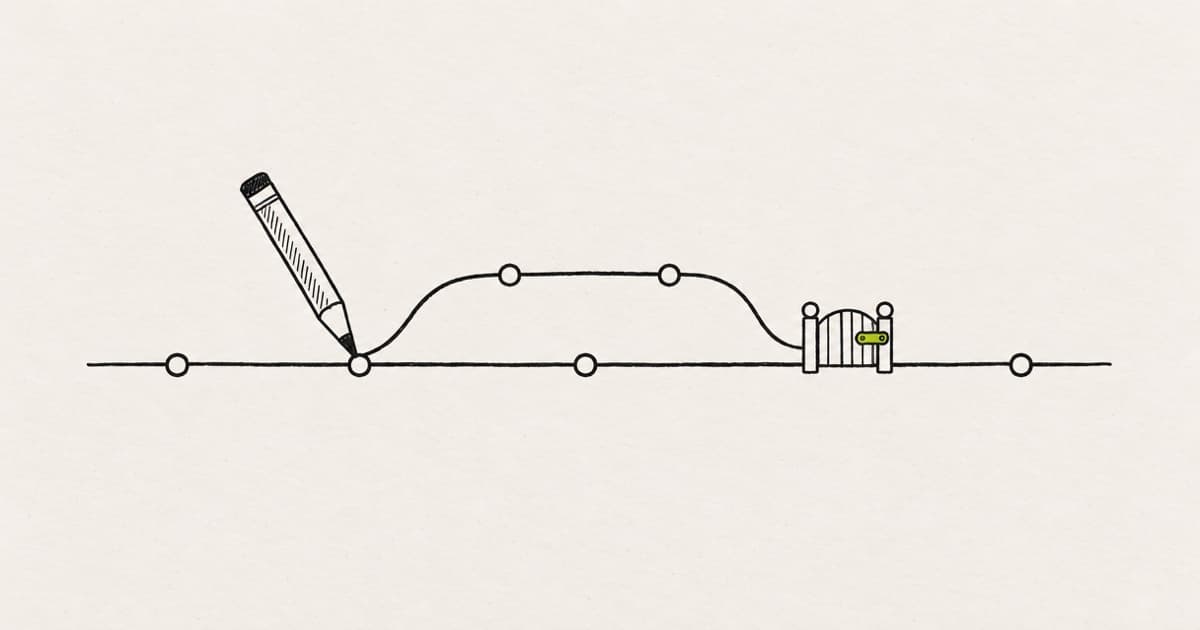
To let non-engineers ship frontend changes as pull requests, give them Write access to push branches and let the repository enforce the rest. Main takes changes only through an approved pull request with passing checks, code owners guard what designers should not change alone, and every pull request gets a preview link.
Then name the engineer who reviews their work, write down what they may change, and pick a tool that opens the pull request from where they already work.
You lead design or front end engineering. One or two designers, or a PM, already prototype in Cursor, Claude Code or a canvas tool. The next step is letting designers make PRs, and so far their pull requests either never get opened or sit in a Slack channel. Anton Zaides, an engineering manager, named the cost in Manager.dev: "those PRs will always be the lowest priority, and a slow review means a higher chance of conflicts." Modeinspect lets designers open the pull request from a canvas on the running app, with a preview link in its description for the reviewer (see how it works).
Getting designers shipping code is the lead's setup job. The designer's side of a first pull request is in the first pull request walkthrough. Write-ups like Zaides's stop at scope and culture: what designers may touch, and pairing them with an engineer. The settings that make those rules hold are already in GitHub. One of them matters more than it looks, because the tools designers use keep pushing commits after a reviewer approves.
Key takeaways
- Designers get Write access to push branches. Main takes changes only through a reviewed pull request with passing checks.
- Turn on "Dismiss stale pull request approvals when new commits are pushed". The tools designers use keep committing to an open pull request.
- Code owners guard the folders designers should not change alone, and a preview link lets the reviewer judge the change by looking at it.
- Name one reviewer per designer and write down what designers change alone before the first merge.
The setup checklist for the first designer pull request
Copy this into a GitHub issue and tick it off before the first designer pull request opens. Every line is a setting, a file in the repository or a decision someone makes once.
## Plan (November 2026)
- [ ] Private repo: the organization is on GitHub Team or Enterprise, where protected branches and code owners work on private repositories

## Access
- [ ] Designers and PMs have the Write role on the repo (not Admin, not Triage)
- [ ] They push branches to this repo, not to forks

## Main branch ruleset (Settings > Rules > Rulesets)
- [ ] Require a pull request before merging
- [ ] Required approvals: 1
- [ ] Dismiss stale pull request approvals when new commits are pushed
- [ ] Require approval of the most recent reviewable push
- [ ] Require review from Code Owners
- [ ] Require status checks to pass: lint, type check, build
- [ ] Require conversation resolution before merging
- [ ] Block force pushes
- [ ] Bypass list: no designers, no bots that open designer PRs

## Files
- [ ] .github/CODEOWNERS covers shared components, tokens, API and config
- [ ] .github/pull_request_template.md asks for before and after, states, preview link
- [ ] A short scope page: what designers change alone, what needs an engineer first

## Previews
- [ ] Every pull request gets a preview deployment, linked on the PR
- [ ] Designers and PMs can open previews without asking for access each time

## People
- [ ] One named reviewer per designer, with a reply within one working day
- [ ] Decided: who merges, and who fixes a merge conflict
- [ ] Decided: who owns a break in production after a designer's merge
Access and the ruleset come first, so the first pull request cannot merge without a review, even if it opens a day early. The People lines have no setting behind them, so write the answers into the issue itself. The sections below explain each line, starting with who owns which step.
Who does what on the first pull request
Each step of a designer's first pull request needs one owner, named before it opens. A step with no owner is where the pull request stalls.
Every step of the first pull request has one owner, named before it opens.
- 1Set up the repoLead
- 2Open the pull requestDesigner or PM
- 3Run checksRepo
- 4ReviewEngineer
- 5Fix requested changesDesigner or PM
- 6Fix a merge conflictDesigner or PM, engineer helps
- 7MergeDesigner or engineer, agreed
- 8Check productionDesigner or PM
Designer includes a PM who opens pull requests. The review is the step with no owner by default, which is why it gets a named engineer. Merge is the one step where the team picks the owner in advance.
| Step | Owner | Done when |
|---|---|---|
| Set up the repo | Lead | The checklist above is ticked off |
| Open the pull request | Designer or PM | The template is filled and the author has opened the preview |
| Run checks | The repo | Lint, type check and build are green |
| Review | Named engineer | Approved or changes requested, within a working day |
| Fix requested changes | Designer or PM | Fixes are pushed to the same branch and the review is requested again |
| Fix a merge conflict | Designer or PM, the engineer helps | The branch is up to date with main |
| Merge | Designer or engineer, agreed in advance | The change is on main |
| Check production | Designer or PM | The live page matches the preview at each listed width |
The review row is Zaides's fix for the stalls: "My current bet is on pairing each non-dev with a dev who'll be responsible for it." A paired engineer has the pull request in their own queue, not in a shared channel.
Conflicts are the other stall Zaides names. We hear the same thing on our calls with customers: the designer, not the developer, is expected to fix conflicts on their own pull request. That holds up only when branches are small and merge within a day or two, before main moves far under them.
One row is missing from the table: who owns a break in production caused by a designer's merged change. Zaides's answer for his own team: "The current answer is the team in general." There is no settled answer yet. Pick one before the first merge, and write it next to the scope page. The chapter on building a design engineering team covers the hiring and pairing side.
Give access to branches, never to main
Designers need the Write role, because Write is the role that pushes branches. Check the plan first. On a private repository, protected branches and code owners need a paid GitHub plan, which is the first line of the checklist (GitHub plans). GitHub's repository roles describe it as "Recommended for contributors who actively push to your project".
The Triage role below it cannot push. A Triage user can "Send pull requests from forks", and a fork cuts off what a designer's pull request needs. GitHub does not pass secrets to workflows triggered from a fork, and "The GITHUB_TOKEN has read-only permissions in pull requests from forked repositories" (GitHub). A preview deploy or check in GitHub Actions that needs a secret cannot read it.
Coding agents that run in Actions set the same bar. Claude Code's GitHub Actions docs say "the triggering user must have write access to the repository". Keep designers on branches in the main repository.
Access is often the first thing that stops non-engineers contributing to the codebase. We hear the same thing on our calls with customers: the designer who wants to ship often has no access to the codebase at all. Getting it means a CTO weighing whether it is worth their time.
When you take it to your CTO, ask for a role and a ruleset, not a favor. On an unprotected main, Write access can push straight to it. With the ruleset in the next section, it only pushes branches and opens pull requests.
A branch the ruleset protects also blocks GitHub's browser editor. In a protected branch, "you can't edit or upload files in the protected branch using GitHub" (GitHub). If someone edits on the default branch, GitHub says "you should choose to create a new branch for your commit and then create a pull request".
Protect main with one ruleset
One ruleset on the default branch does most of the work. Create it under Settings, Rules, Rulesets. GitHub's rulesets docs note that "Multiple rulesets can apply to the same branch at the same time", so it can sit beside rules the repository already has.
Start with "Require a pull request before merging". In GitHub's words, "You can require that all changes to the target branch be associated with a pull request." Set required approvals to 1, and turn on "Require review from Code Owners", which the next section puts to work.
Then add the checks. "Required status checks ensure that all required CI tests are passing before collaborators can make changes." For a front end, require lint, type check and build. Require conversation resolution too, so a review comment cannot be skipped on the way to merge. The rule that blocks force pushes "is enabled by default", so leave it on.
Last, the bypass list. GitHub lets you "allow certain users to bypass the rules in the ruleset". Keep designers off it, and any bot that opens pull requests for them.
Dismiss stale approvals, because the tools keep pushing
Turn on "Dismiss stale pull request approvals when new commits are pushed" in the same ruleset. A branch keeps taking commits after a reviewer approves it, and the tools designers use make that routine.
The v0 docs say: "v0 creates a pull request if the branch does not have one, or reuses its existing pull request." Cursor's cloud agents "work on a separate branch, then push changes to your repo for handoff". Claude Code, mentioned with @claude in a pull request comment, can "implement changes, and push commits".
Now a designer adjusts a hover color after the engineer approved. Without the stale-approval setting, the approval still stands, and the new commit can merge unreviewed.
That setting resets the approval on every push. "Require approval of the most recent reviewable push" asks for "an approval from someone other than the last person to push to a branch". So a reviewer who pushes a fix cannot approve their own commit. Turn both on.
Without the stale-approval setting, a commit pushed after approval can merge unreviewed.
Designer · commit
Increase space above the hero subtitle
Reviewer · review
Approved these changes
Designer · commit, after approval
Change hover color on the secondary button
Approved, ready to merge
1 approval, all checks passed
- The hover color is pushed after the reviewer approved, and nobody has read it.
- The old approval still counts, so the unread commit merges with the rest.
The setting is “Dismiss stale pull request approvals when new commits are pushed” in a ruleset on the default branch. Switch it on to see the same pull request after the same push.
Put code owners on what designers should not change alone
A CODEOWNERS file turns "ask an engineer first" into a rule the repository enforces. In GitHub's code owners docs, "Code owners are automatically requested for review when someone opens a pull request that modifies code that they own." With "Require review from Code Owners" in the ruleset, their approval is required to merge.
Owners "must have write permissions for the repository", so name teams that already have it. And "the last matching pattern takes the most precedence", so start with a default owner and put specific paths below it.
# .github/CODEOWNERS

# Default: the frontend team reviews everything
*                     @acme/frontend

# Shared components and tokens
/components/ui/       @acme/design-system
/app/globals.css      @acme/design-system
/tailwind.config.ts   @acme/design-system

# Logic, data and config
/app/api/             @acme/platform
/lib/                 @acme/platform
/middleware.ts        @acme/platform
/package.json         @acme/platform

# The rules themselves
/.github/             @acme/platform
With this file, a designer's change to a page needs one approval from the frontend team, where the named reviewer sits. A change to the shared button in /components/ui/ needs the design-system team instead, and a pull request that touches both needs both.
Keep .github/ owned by the platform team. It holds the code owners file and the workflows, so nobody can change the rules in the same pull request that has to pass them.
The setup is three new files in the repository and one ruleset in its settings.
- .github/
- CODEOWNERSAWho approves which folders
- pull_request_template.mdAWhat every description asks for
- workflows/
- checks.ymlLint, type check, build
- app/
- components/
- ui/Owned by the design-system team
- docs/
- designer-scope.mdAWhat designers change alone
- Require a pull request before merging
- Required approvals: 1
- Dismiss stale pull request approvals when new commits are pushed
- Require review from Code Owners
- Require status checks to pass
Not a file: set once in the repository settings, with main as the target branch.
Example repository. The checks workflow usually exists already: the ruleset makes it required. The .github folder is owned by the platform team, so the rules cannot change inside the pull request that has to pass them.
Code owners cover folders. A scope page covers kinds of change, and Zaides's list is a good first draft: "Copy changes, Pure UI changes that don't change any logic, Prompt changes".
Eduardo Sonnino, a principal designer for AI at Atlassian, gives designers one rule in Designers' workflow for shipping code: "Always create Pull Requests, never direct-merge". Put it at the top of the scope page, then two lists.
# docs/designer-scope.md

Always create Pull Requests, never direct-merge.

## Designers and PMs change alone
- Copy and content on pages under app/
- Spacing, type, color and radius, using theme tokens
- Layout inside one page, with existing components

## Ask an engineer before you start
- Anything in components/ui/ (shared components)
- Anything in app/api/, lib/ or middleware.ts
- New dependencies, data fetching, state or forms that submit
- A new page or route
Review the lists after the first ten merges.
Then add .github/pull_request_template.md, which GitHub uses to prefill every new pull request description. Use the pull request template for designers, which asks for before and after screenshots, states and a preview link.
Put a preview link on every pull request
Reviewers judge a visual change by looking at it, so every pull request needs its own running copy of the app. On Vercel, "Each deployment gets an automatically generated URL, and you'll typically see links appear in your Git provider's PR comments or in the Vercel Dashboard."
Netlify works the same way: "When you open a pull / merge request in a connected site repository ... Netlify automatically builds a Deploy Preview for you."
The catch is who can open the link. Under Vercel Authentication, "visitors to a preview deployment must log in with a Vercel account that has access to the project." A PM without one lands on a request-access page instead of the preview. Vercel's docs describe what happens next: "This request triggers an email and Vercel notification to the branch authors."
Fix it before the first review. Add the designers and PMs who open previews to the Vercel team. For anyone else, Vercel's own advice applies: "To share a preview with someone outside your team, approve their access request or send them a Shareable Link." Each option has a cost: one more member on the Vercel team, or one more link someone has to remember to send.
If your design system lives in Storybook, Chromatic adds a "UI Tests" check to each pull request. Its docs say: "Require the check in GitHub, GitLab, or Bitbucket to prevent accidental UI bugs from being merged." Add it to the ruleset's required checks.
How do teams review UI changes from non-engineers?
Teams review UI changes from non-engineers with one named engineer, who reads the diff and opens the preview against a written scope within a working day. The repository has already checked access, ownership, lint, types and the build.
That leaves the reviewer one question: is this the right change, made the way the codebase makes it?
The reviewer does not re-check who may push, run the build by hand or look for the right owner. The checks are required, and code owners were requested when the pull request opened.
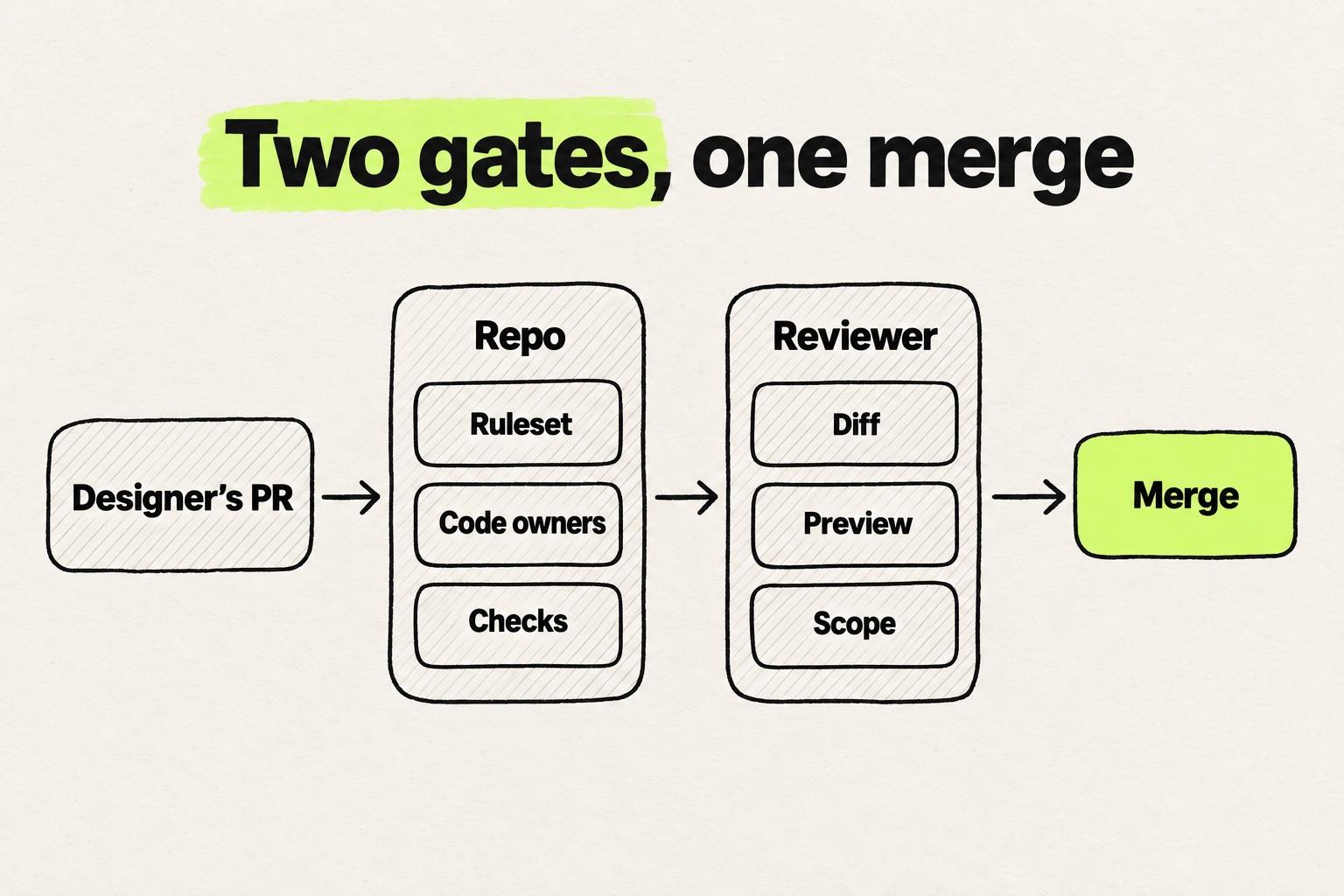
Copy this list for the reviewer, or add it under a reviewers' heading in the pull request template.
## Reviewing a designer's pull request
- [ ] Scope: only the files the description names changed. No logic, and no shared component source unless a code owner approved
- [ ] Tokens: no new hex, px or arbitrary Tailwind values where a theme token exists
- [ ] Components: existing components used, none recreated inline
- [ ] States: the states and widths in the description match the preview
- [ ] Preview: opened at mobile and desktop width
- [ ] Diff size: readable in one sitting. If not, ask to split it
- [ ] Generated code: no stray files, debug output or style tags left behind
- [ ] Comments: optional points start with "Nit:", so the author knows what blocks the merge
Sonnino sets the bar for the author's side: "Engineers can safely review and merge without guessing design intent." If the description leaves the reviewer guessing, ask for a rewrite before reading the diff.
Reply within one working day. A slow review is how a designer's branch drifts into conflicts, and the conflicts land on the designer. AI-generated work already queues at review, as why review became the bottleneck shows.
Count the corrections a reviewer asks for on each pull request. When a designer's recent pull requests needed nothing beyond nits, add one kind of change to their scope page.
What are the best tools that let designers edit real production code?
The best tools that let designers edit real production code work on your existing GitHub repository and open a pull request on it. The table below compares eight, from GitHub's web editor to a canvas on the running product. They differ in where the designer works, which decides how much setup lands on the lead.
| Tool | Where the designer works | How the pull request opens | What the lead sets up (November 2026) |
|---|---|---|---|
| GitHub web editor | Browser, file by file | Commit to a new branch, then a pull request | Nothing beyond access |
| GitHub Copilot cloud agent | An issue assigned to Copilot | Copilot raises a pull request and requests a review | An admin enables it on Business and Enterprise |
| Claude Code | A terminal, or @claude in a pull request or issue comment | Pushes commits, and turns issues into pull requests | A local setup, or the GitHub Action (Write access required) |
| Cursor | Design Mode or a cloud agent | Cloud agents push a branch and open a pull request | A local setup or a cloud agent environment |
| v0 | The v0 web app, after Git Import | Its own branch, with one pull request it reuses | Vercel and GitHub connection |
| Figma Make | A Make file with a cloned GitHub repo | Branch, then a pull request | GitHub connection, Starter plan and up |
| Builder Code | Builder's visual editor | Through your existing branch and pull request process | Repo connection |
| Modeinspect | A canvas on the running product, in a cloud environment | One click opens it with an "Open Preview" link, and later changes are committed to it | GitHub App and a one-time setup agent, for Next.js React codebases that use Tailwind |
Routes that run the app on the designer's machine put a local setup on the lead's list. Cloud routes trade it for a one-time environment setup.
On Copilot Business and Enterprise, "an administrator must enable the agent before you can use it" (GitHub). If PMs will assign issues to Copilot, that switch is the lead's.
For a PM who changes copy, the web editor or Copilot is enough. For a designer who judges a change by eye, pick a route that shows the running app before the pull request opens.
Lovable is out for this job. Its docs say: "You can't import an existing repository into Lovable."
Every tool here ends in a pull request. The wider field is in the design-to-code tools comparison. For visual editors in more depth, see the React visual editor comparison. Design tools for AI coding agents get their own comparison. For the terminal route, Claude Code for designers walks through a first session.
What to do this week
- Create the ruleset on main with the settings from the checklist, stale approvals included.
- Add CODEOWNERS and the pull request template, with
.github/owned by the platform team. - Turn on preview deployments, and give designers and PMs a way to open them without a login wall.
- Name one reviewer per designer, and agree who merges and who fixes conflicts.
- Pick the first change together, one visual change with no logic, and send the designer the rest of the path in the guide to becoming a design engineer.
Frequently asked questions
How do you let non-engineers ship frontend changes as pull requests?
To let non-engineers ship frontend changes as pull requests, give them the Write role so they can push branches. Then protect main with a ruleset that requires an approved pull request and passing checks. Add a CODEOWNERS file for shared code, a preview deployment on every pull request and one named reviewer per person. Then write down what they may change alone.
What is the best platform for designers, PMs, and engineers to work on one codebase together?
The best platform for designers, PMs and engineers to work on one codebase together is the GitHub repository itself, with its ruleset, code owners and preview links. Each person then works in a tool that opens pull requests on it. Claude Code and Cursor suit people at home in a terminal or editor, and v0 and Figma Make suit prompt-first work. Modeinspect puts a canvas on Next.js React codebases that use Tailwind. Lovable does not fit, because it cannot import an existing repository.
Should designers have write access to the repository?
Yes, designers should have write access to the repository through GitHub's Write role, the role for people who push branches. The Triage role can only send pull requests from forks, and workflows on a fork get no secrets. Write access cannot reach main once main has a ruleset that requires a reviewed pull request and passing checks.
Can a designer merge their own pull request?
A designer can merge their own pull request after it gets the approval the ruleset requires. With stale approvals dismissed, any commit pushed after that approval needs a new one. Who clicks merge is a team decision, so agree on it before the first pull request.
Who fixes merge conflicts on a designer's pull request?
The designer fixes merge conflicts on their own pull request, with the reviewer's help when the conflict touches code they do not know. Small branches that merge within a day or two make conflicts less likely.
Do PMs need a local setup to open a frontend pull request?
No, PMs do not need a local setup to open a frontend pull request. They can open one from GitHub's web editor, by assigning an issue to the Copilot cloud agent, or from v0, Figma Make or a cloud canvas tool. A local setup is needed only to run Claude Code or Cursor on their own machine.
What should an engineer check when reviewing a designer's pull request?
An engineer reviewing a designer's pull request should check scope, tokens, components, states and diff size. Only the named files should change, with theme tokens instead of raw values and existing components instead of new ones. Open the preview at mobile and desktop width, and ask to split anything too big to read in one sitting.