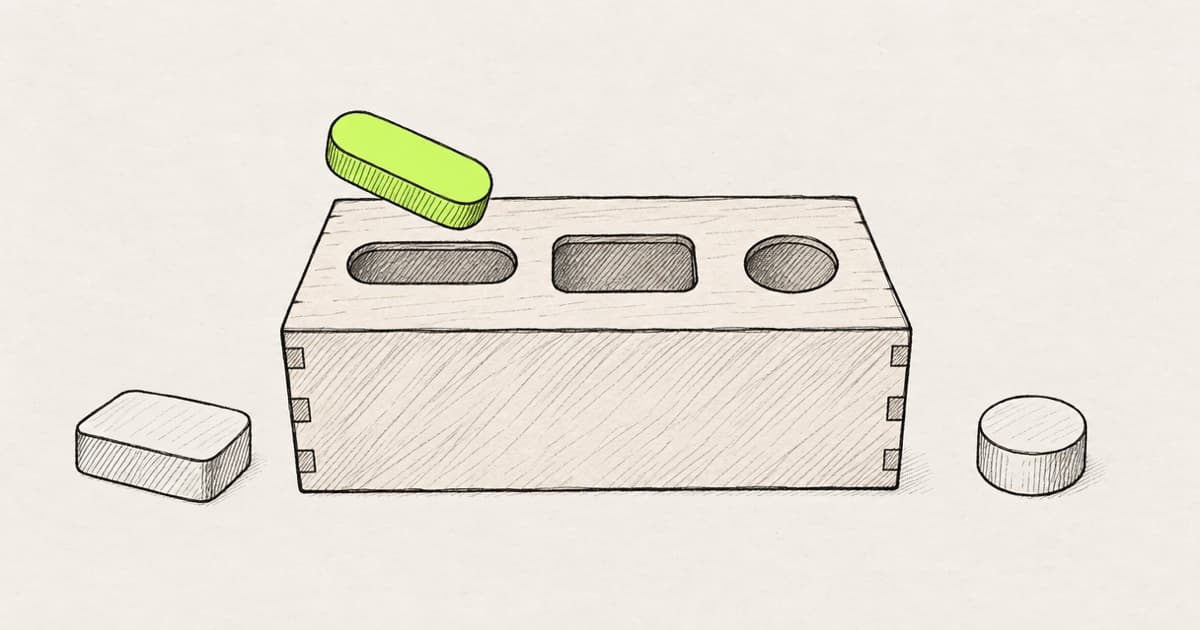
There are seven ways to turn a Figma design into React in 2026. They are Dev Mode with a codegen plugin, a converter plugin, Figma Make, the Figma MCP server, Code Connect, a design-in-code tool and a rebuild by hand.
All seven give you React. Some import the components your repo already has, pass them your props and leave state to the code that owns it. The rest write new markup, and someone maps it onto your library by hand.
So the question is whose React you get. A screenshot and a prompt are the other routes from a UI to React, covered in the wider map of routes into code. How this route compares with every other way from Figma to code is in Figma to code methods, ranked.
Key takeaways
- Every method outputs React. What differs is whether the code imports your existing components, passes your props and leaves state to the code that owns it.
- Converter plugins write new components with props of their own. Using yours usually takes a higher plan or a separate tool.
- An agent with the Figma MCP server uses your components when told where they are. Code Connect adds your props, from a map someone maintains.
- No method reads state from a frame, because a frame has none. Merged React comes fastest from the method that leaves the least mapping.
Every Figma to React method, compared
All seven write React, and they split on components, props and state.
| Method | Output | Your components | Props | State |
|---|---|---|---|---|
| Dev Mode and codegen plugins | One layer's snippet | No | Layer values | None |
| Converter plugins | New React components | Higher plan or separate tool | The converter's own | Click and hover effects |
| Figma Make | A React app | Via Make kits | Set in Make's code | Make's own |
| Figma MCP server and an agent | Code in your repo | When told where | Guessed without a map | Yours, around it |
| Code Connect | A component map | Yes, once mapped | Mapped from Figma | None, files are not executed |
| Design in code | Edits to your app | Yes, from your repo | Your props | Stays in your code |
| By hand | An engineer's code | Yes | Your props | Written by the engineer |
React's docs define props and state. "Every parent component can pass some information to its child components by giving them props" (React). On state: "In React, this kind of component-specific memory is called state," and "state is fully private to the component declaring it" (React).
Maybe you are the front-end engineer who received the export, a folder of components named after frames. Or you design for a team whose library has Button, Card and Dialog with variant and size props. You have probably tried a plugin export and an agent with the Figma MCP server. Review still asked why there was a second Button.
Take a settings card with Cancel and Save. A converter writes a new SettingsCard with divs for buttons. An agent without a map writes a second Button. An agent with Code Connect imports yours, with disabled fixed as the frame drew it. A design-in-code tool imports it too once you place it, inside a page whose state already sets disabled on Save.
One settings card, four methods. Two of them import the Button your repo already has.
- components/
- SettingsCard.tsxA
- ui/
- button.tsxalready in the repo, unused
+export function SettingsCard() {+return (+<div className="flex gap-[12px]">+<div className="rounded-[8px] border px-[16px]">Cancel</div>+<div className="rounded-[8px] bg-[#111110] px-[16px]">Save</div>
- A new component named after the frame, outside your library.
- Cancel is a
div, not yourButton, so it has no focus, keyboard or disabled state. - Save is a
divtoo, with a hex color and pixel sizes. Nothing can disable it.
Example. The card has Cancel and Save, and the repo's Button takes variant and size.
1. Dev Mode and codegen plugins: React snippets, one layer at a time
Dev Mode has no built-in React option. Its own languages are CSS for the web, SwiftUI or UIKit for iOS, and Compose or XML for Android (Figma Help). React comes from codegen plugins, which "appear in the Figma's native language dropdown" (Figma developer docs).
A codegen plugin writes a snippet for the selected layer, and nothing in it imports a component from your repo. Dev Mode itself needs a Full or Dev seat on a paid plan.
Best for: exact values for one layer. It uses none of your components, props or state.
2. Converter plugins: React files with props of their own
Converter plugins turn a whole frame into React files. Anima lists "Figma to React" among its exports (Anima). Locofy "splits the code into reusable components with props" (Locofy). FigmaToCode, open source under GPL-3.0, writes "HTML, React (JSX), Svelte, styled-components" and Tailwind (GitHub).
The props in these files are the converter's own. In 2024, Michał Szulczewski at Scalac tested Anima, Builder.io and a Figma to Code plugin. He found that "almost all struggle to generate something that matches the API of the used libraries" (Scalac).
Anima says "To use your own components, you would need to use Frontier in VScode" (Anima). Locofy's custom components are "available on Enterprise plans", where it "wires the correct props automatically" (Locofy docs). Builder.io Visual Copilot indexes your repo for components, and "Running index-repo requires an Enterprise plan" (Builder.io docs). Plans and prices are in the tool-by-tool cost breakdown.
Converters stop at state. Anima advertises "generating stateful and interactive React components", and those states are "'on click' & 'while hovering' gestures with instant animation" (Anima FAQ). Locofy leaves you "implementing state management, handling events, and connecting to a back-end" (Locofy).
Best for: a static page or a component your library lacks. The props are its own, and there is no app state.
3. Figma Make: a React app with its own state
Figma Make writes a whole React app, components and state included. Its code is "most commonly written in the App.tsx file", and "Each instance maintains its own state and props while following the architecture defined by the component" (Figma Help).
Make kits bring your library in: "Sync your npm packages, library styles, and guidelines directly with Figma Make" (Figma). The components can be yours, but the app and its state belong to Make.
"Figma Make only pushes to repositories it creates" (Figma Help), and a Full or Dev seat can download a .zip (Figma Help). Make in your local codebase is a closed beta, with a one-time setup by an engineer (Figma Help). Code Layers, a separate prototyping feature, imports a "supported, lightweight prototyping codebase" into Figma (Figma).
Best for: a clickable prototype. It can use your packaged components, with props and state that Make writes.
4. The Figma MCP server and a coding agent: React in your repo
The Figma MCP server gives a coding agent design context for a frame, written as React and Tailwind by default (Figma developer docs). Figma also says the server's job "is to give your agent design context, not production-ready code" (Figma developer docs). Seats and rate limits are in what the server can and cannot do.
Inside your repo, the agent can import your Button, pass it your props and place it in a component that already holds the state. It does that when told where the components live, as in Figma's example prompt, "Use components from src/components/ui" (Figma developer docs).
Without a map, the agent searches your codebase, and "If it does not find a match, it will create a new one from scratch" (ByteByteGo). When Code Connect is set up, the server's get_code_connect_map tool returns that map.
Bolt's Figma import splits the same way. On a paid Team account, its design system agent "recreates it using your real design system components". Its Code option "uses a tool that isn't aware of your design system, so it won't build with your components" (Bolt).
We hear the same thing on our calls with customers: designers do not trust components an agent invents, and they want a way to control what it builds.
Step-by-step guides cover the Cursor setup and the Claude Code setup.
Best for: teams already using a coding agent. It uses your components and the state around them when told where to look.
5. Code Connect: mapping Figma to the React components you have
Code Connect gives developers "true-to-production code snippets from your design system instead of autogenerated code examples" (Figma developer docs). It needs a Dev or Full seat on Professional, Organization or Enterprise, and "Professional plans can have one active library and one active framework."
A React mapping ties each Figma component property to one of your props. The key is your prop and the value reads Figma. variant: figma.enum('Type', { Primary: 'primary' }) turns the Type variant into your variant, figma.boolean('Disabled') reads the Disabled toggle, and figma.string('Text Content') reads the label (Figma developer docs).
The map stops at props. "Code Connect files are not executed" (Figma developer docs), so a file can say Save takes disabled, but not when. In your code, disabled comes from state, such as whether the form has unsaved changes. No frame contains that.
Code Connect maps Figma's component properties to your props. The state that sets them stays in your code.
- Type
Primarytovariant- Size
Smalltosize- Disabled
truetodisabled- Text Content
Savetochildren
figma.connect(Button, "https://figma.com/design/…", {props: {variant: figma.enum("Type", { Primary: "primary", Secondary: "secondary" }),size: figma.enum("Size", { Small: "sm", Medium: "md" }),disabled: figma.boolean("Disabled"),children: figma.string("Text Content"),},example: (props) => <Button {...props} />,})
const [isDirty, setIsDirty] = useState(false);<Button variant="primary" size="sm" disabled={!isDirty}>Save</Button>
disabledfollowsisDirty, state that changes as someone edits the form. No Figma property holds it, and Code Connect files are not executed.
Example. The size mapping and the page are illustrations.
Source: Figma developer docs, Code Connect for React (map syntax)
Your team writes and publishes these files, and every new component or renamed prop needs an update.
Best for: a team with a stable library and an owner for the map. It brings your components and props, not state.
6. Design in code: no export at all
Design-in-code tools skip the export and work in or beside the code where your components and state already live.
- Builder Code, formerly Fusion, builds with your components, tokens and usage patterns (Builder Code).
- Onlook works on your repo's components: "The component on the canvas is the component in your repo" (Onlook).
- Subframe's app "reads and writes local files" (Subframe), and its own components sync one way into your codebase (Subframe docs).
- Cursor Design Mode captures "props from the fiber tree" of your running app (Cursor docs).
- Paper lets agents sync tokens, styles and components between your codebase and its canvas (Paper).
- Modeinspect: you paste a Figma frame, or a link to one, onto a canvas that holds live pages of your app. Drop it onto a page, and the coding agent builds it into that page's code. After setup, your team's React components are on the canvas, where you place them and edit their props. Changes leave as a pull request on GitHub. It works on Next.js React codebases that use Tailwind. Component instances in a pasted frame arrive as plain layers, not linked to your code components, and Figma variables do not become tokens. Tokens are offered from the Tailwind theme, not enforced.
A component your library lacks is a different job. A canvas can place the components that exist, but someone still decides a new one's props and state.
The editors are compared in what to check before you pick a visual editor.
Best for: a screen in an app that already ships. Most use your components, props and the state your code holds.
7. By hand: a front-end engineer rebuilds the frame
A front-end engineer reads the frame and writes it with the team's components. Hand-coding is still the reference for every other method. The engineer picks the right Button, passes the right props and wires the state, because they know where it lives. Hand-coding is also the slowest start.
Best for: new components and screens with complex state. It uses everything your repo has.
What is the fastest way to get React code from a design?
The fastest way to a React file is a converter plugin or Figma Make, which give you code in one run. The fastest way to merged React is the method that leaves the least mapping onto your components, props and state.
Those two answers rarely name the same method. A converter's file arrives first and merges last, because someone rewrites its components as yours before it passes review. Speed only counts at the merge.
Every route from a frame to your components passes one mapping step. A map like Code Connect does it ahead of time. A tool that renders your components does it when you place one. Otherwise a person does it, usually in review.
On the Figma Forum, a member asked how to import Figma components into React. Gleb, a Power Member, answered: "You always need to process them in some way to turn them into actually usable React code" (Figma Forum).
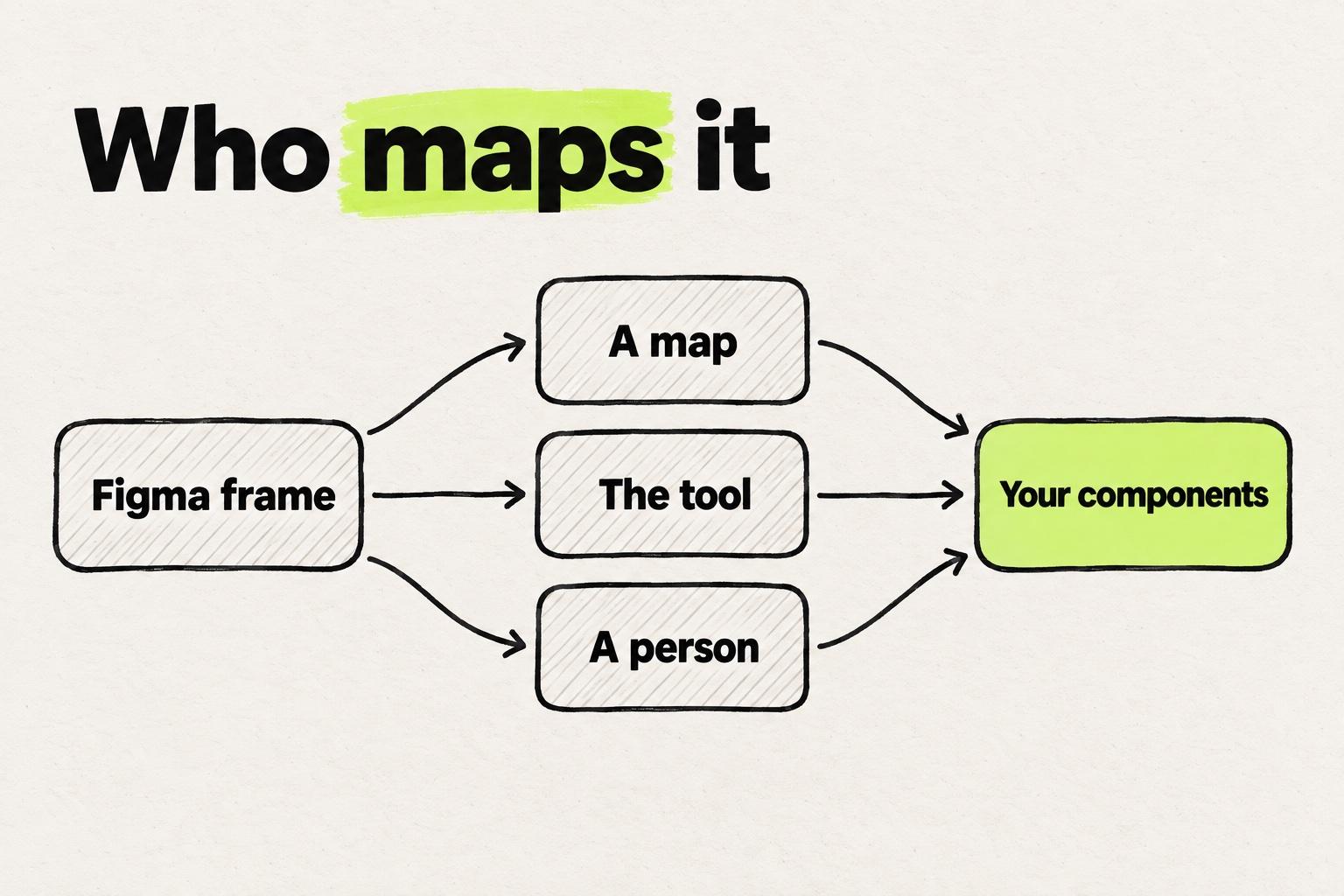
Which AI app platform scales best for getting React code from a design? The one that reads the components already in your repo, such as Builder Code or Onlook, instead of a map someone keeps current.
How to tell whether a React export is clean
A clean React export imports your components, uses your prop names and theme values, and leaves state to the code that owns it. Five checks show whether it does.
- A new Button. A fresh
Buttonbeside the one incomponents/uiis a duplicate that review sends back. - A component named after a frame.
Frame1268orSettingsCard2came from the layer tree, not from your library. - Hex and pixel values.
#1A1A1Aand24pxsit where your theme has names (matching them to theme classes). - Generated prop names.
type="Primary"is the Figma variant name. Your Button takesvariant="primary". - A
divwithonClickand no state. A real control is abutton, and your code holds the state it changes.
Five things to check in a React export before it reaches review.
import { Button } from "./Button";export function SettingsCard2() {return (<section className="p-[24px] bg-[#FFFFFF] text-[#1A1A1A] text-[14px]"><Button type="Primary" text1="Save" /><div onClick={() => {}}>Cancel</div></section>);}
- A new Button, imported from the file next door instead of
@/components/ui/button. - A component named after a frame in the layer tree, not after anything in your library.
- Hex and pixel values where your theme has names, such as
p-6forp-[24px]. - Figma's names as props. Your Button takes
variant="primary", nottype="Primary"andtext1. - A
divwith an emptyonClick. A real control is abutton, and the state it changes lives in your code.
Example. The repo already has a Button in components/ui that takes variant and size.
Plain HTML output has its own fix list, including what production-ready means, in the guide to fixing converted HTML. A frame that becomes a whole page has its own checks in taking a frame into a Next.js page.
Which Figma to React method fits your team
- A static page or a one-off: a converter plugin, then a hand-fix pass.
- A prototype nobody will merge: Figma Make.
- A team already on Claude Code or Cursor: the Figma MCP server, with Code Connect for the components you use most.
- A screen in an app that already ships: a design-in-code tool.
- A component your library does not have: a front-end engineer, perhaps starting from a converter draft.
Before you pick, list every component the frame uses. Look each one up in the repo and note its props. If they all exist, pick a method that imports them. If one is missing, send it to an engineer before the rest of the frame.
Frequently asked questions
Can Figma export React code?
Not from Dev Mode. Its built-in languages are CSS, SwiftUI or UIKit, and Compose or XML. React comes from a codegen or converter plugin, from Figma Make, or from a coding agent using the Figma MCP server.
Is there a free Figma to React plugin?
Yes. FigmaToCode is open source under GPL-3.0 and writes React (JSX) as well as HTML, Svelte and Tailwind. Its components are new ones, so someone still maps them onto your library.
How do I convert Figma components to React components?
Map them to the React components you already have instead of converting them. Code Connect ties each Figma component property to a prop, such as a Type variant to variant. A component your library lacks still gets written by a front-end engineer.
Can AI convert a Figma design to React?
Yes. A coding agent with the Figma MCP server writes React and Tailwind by default, and v0 imports Figma frames on paid plans. The AI uses your components when it can find them, through Code Connect or a prompt that names their folder.
Does Figma to React code include state?
No, because a frame has no state to read. Converters add click and hover transitions between variants, and Figma Make writes state inside its own app. State that depends on your data, such as whether a form can be saved, stays in your code.
What is the best design tool for dev handoff and a clean React export?
Dev Mode covers the handoff of exact values as CSS. A clean React export comes from a method that uses your components: an agent with Code Connect, or a design-in-code tool such as Builder Code or Onlook. For any plain export, check for duplicate buttons, frame-named components, raw hex values, Figma prop names and a div with onClick.
Which AI app platform scales best for getting React code from a design?
A tool that reads your repo, such as Builder Code or Onlook, rather than a map someone keeps current. Figma Make only pushes to repositories it creates, and Bolt's Code option is not aware of your design system. A map like Code Connect scales as far as someone keeps it current.
Should I convert Figma to React or to Next.js?
Convert to what the screen will live in. A Next.js app is built from React components, so the components are the same either way. A page adds routing, image loading and font loading, which a frame says nothing about.