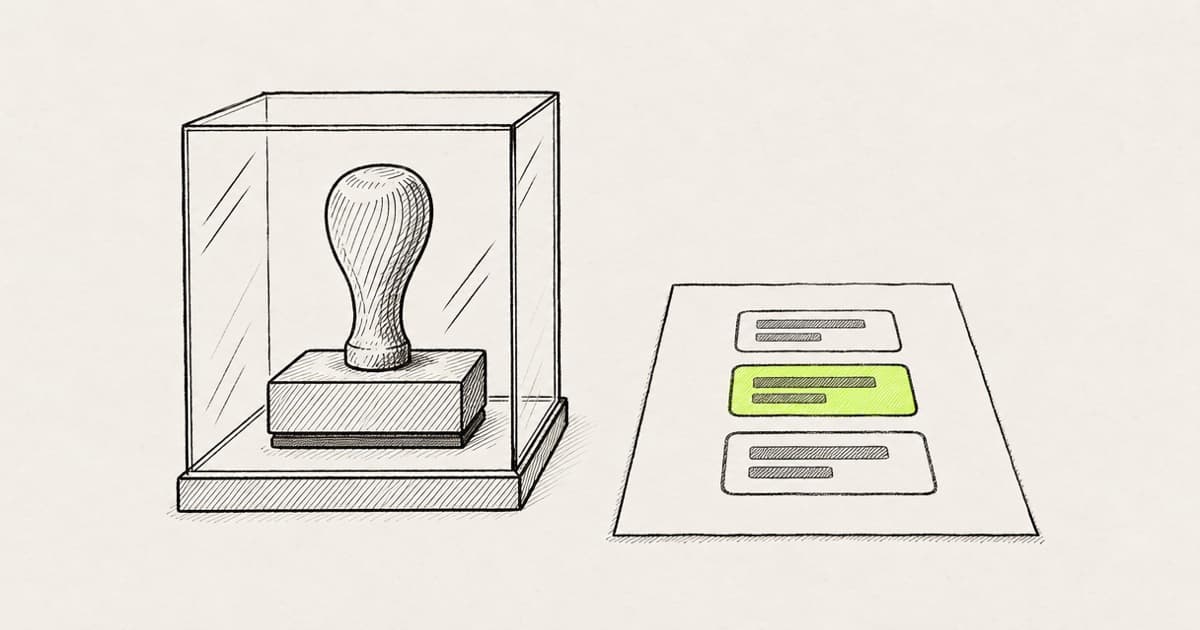
Design system governance is how a team decides what goes into its design system, who approves a change and how it checks the system is used well. Design system management is the weekly work of running those decisions: the backlog, the releases and the teams that adopt it.
The usual governance guides govern people. In Brad Frost's governance process, a product team that needs something new talks to the design system team first, and the work lands in a backlog. A coding agent skips that conversation. Ask one to make one card's title larger and the shortest path is a one-line edit to card.tsx, which changes every card in the product.
So governance needs two rules once agents write UI. By default, agents edit the usage, not the definition. Reviewers count corrections per component usage, not lines of diff. Our guide to building a design system sums both up in Step 7. If your team points Claude Code, Cursor or Codex at a React codebase, the CODEOWNERS line and agent settings that enforce rule one are the part to copy.
Key takeaways
- Governance answers three questions: who owns the components, how a change gets in, and how you know the system is used well. Agents change the answer to all three.
- Agents edit the usage, such as the screen that renders a Card, by default. The component file belongs to its owners, and a missing variant is a request to them.
- Back the line with code owners on component files and an ask rule in the agent's settings. A rules file on its own is context, not a gate.
- Judge pull requests by corrections per design-system component usage, not by diff size or a zero-violations target.
What is design system governance?
Figma's resource library draws the line between two terms. "A contribution model covers how someone proposes a change to your design system." Governance is "the wider structure around that change, including who approves it and what standards it has to meet" (Figma).
In practice, governance answers three questions. Who owns the components? How does a change get in? How do you know the system is being used well? Design system management is the running of those answers week to week. Where AI helps with that work, from finding duplicates to token migrations, is covered in AI and design systems.
Who owns a design system when agents write UI?
Nathan Curtis named three team models. In a centralized model, "A single, central design team produces and supports a system used by others as a part of their job". In a federated one, "Designers from multiple product teams decide on the system together" (Nathan Curtis).
All three of his models work with agents, the solitary one included, where one team builds mostly for itself. Each needs ownership written down where an agent and a reviewer can both see it: as a list of files. Whoever owns components/ui/ and the theme file owns the system. Everyone else, and every agent, works in the screens that use it.
You may be the design lead who also owns the library, or the one design engineer on a team of ten engineers. You have already put the components in AGENTS.md and asked agents to reuse them. A pull request still arrives in which an agent changed the Button to fix one screen.
We hear the same thing on our calls with customers: a design system lead at a large company asked who manages a change if any designer can push one. She had no worry about a change she made herself.
Why do agents edit the component definition?
An agent solves the request in front of it. "Make the pricing card's title larger" has a one-line answer in card.tsx, and the agent does not weigh the other screens that render a Card. Brad Frost asked the question governance exists to answer: "What happens when an existing pattern doesn't quite work for a specific application?" (Atomic Design, chapter 5). A designer asks the system team. An agent edits the file.
The two diffs look alike. One line in the definition and one line in the usage take the same minute to review, and only one of them changes every screen.
One line in card.tsx restyles every card. One line in the screen restyles the card that was asked for.
−<h3 className="text-sm font-medium">+<h3 className="text-lg font-medium">
Pro plan
For growing teams
Next invoice
Due in 14 days
4 members
2 invites pending
Storage
62 of 100 GB
Workspace
Acme Inc.
Invoice 1042
Paid
The request in both cases: make the pricing card's title larger. Switch between the two edits to see which screens change.
Rule one: agents edit the usage, not the definition
By default, the usage is open. Props, className, composition and where a component sits in the screen file are the agent's to change. The definition, meaning the component file and its variants, belongs to the system's owners.
We hear the same thing on our calls with customers: one engineering team's list of what designers must not do included editing a component's source.
Brad Frost's process starts from the same default: "Teams should default to using the design system's components to help create new product work" (Brad Frost).
When the usage cannot get there, the agent stops and writes a request: which screen, what it needed, and which variant or prop is missing. GitHub's Primer team says what happens to a request the system turns down: "your team can continue with a locally owned implementation" (Primer). That local version lives with the screen, not in the library.
Three pieces that back the default
The three pieces work at three different moments: when the agent reads the repo, when it edits a file, and when the pull request merges.
-
One rule where the agent reads it. A line in AGENTS.md, or in the scoped rules next to your components:
- Don't edit components/ui/ unless the task is a design-system change. Change props, className and composition in the screen. If a variant is missing, stop and describe it. -
Code owners on the definition files. GitHub's docs: "Code owners are automatically requested for review when someone opens a pull request that modifies code that they own." Branch protection can also "require approval from a code owner before the author can merge a pull request" (GitHub Docs).
# .github/CODEOWNERS /components/ui/ @your-org/design-system /app/globals.css @your-org/design-system -
An ask rule in the agent's settings. Claude Code's docs say where the rule is enforced: "Permission rules are enforced by Claude Code, not by the model" (Claude Code docs). An ask rule in
.claude/settings.jsonmakes the agent stop and ask before it edits a component file:{ "permissions": { "ask": ["Edit(/components/ui/**)"] } }
Ask, not deny
Claude Code's docs also say "If a tool is denied at any level, no other level can allow it." So a deny rule in the shared project settings blocks the owners' own sessions too, and nothing they set can undo it. Deny fits files nobody edits through an agent. Component files have owners who do.
The ask rule only binds Claude Code. Cursor and Codex have their own settings, and the Claude Code docs note that permission rules miss a script that opens files itself. Code owners on the pull request are the one gate that holds for every tool.
Modeinspect works on Next.js React codebases that use Tailwind. Designers drag the team's components onto the canvas and edit their props, and its coding agent follows the repo's CLAUDE.md, AGENTS.md and rule files. Those files are guidance, so code owners still review any change to components/ui/.
How does a change to the design system get proposed and reviewed?
A change to the definition starts from a usage that could not get there. The request carries the screen and the pull request where the agent stopped, so the owners see the real need, not a guess at one.
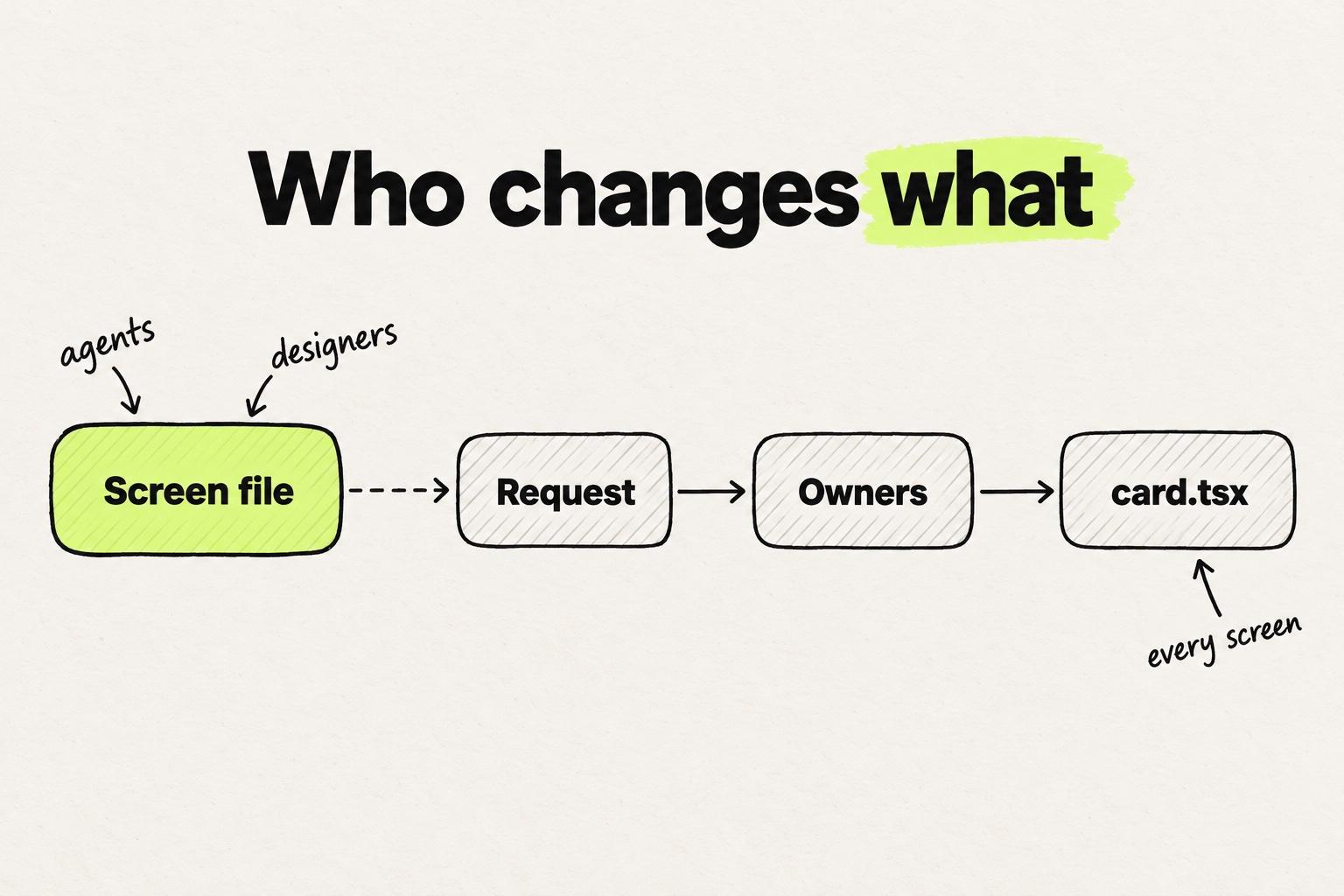
Then the usual contribution path applies, with one change at each step for agents:
- Triage. Brad Frost sorts requests into two piles. Reusable work "will be added to the design system backlog", and one-off work goes to the product team's own backlog. The agent's request is the input to that sort, with the screen already attached.
- Decide. The GOV.UK Design System lets anyone propose a component, and "The Design System team reviews proposals to check they meet these criteria" (GOV.UK Design System). A new component has to be useful to many teams and unique in the system. Primer names owners per change: "Proposals we pursue enter planning with named design and engineering owners". The owners now decide on a real screen and a stopped pull request, not on a description.
- Change the definition in its own pull request. Code owners review it on several screens that use the component, because that pull request changes all of them.
- Move the usage onto it. The original screen switches to the new variant, and its local workaround goes.
Rule two: count corrections per component usage
Diff size is the wrong measure for a pull request that uses a design system. Count the corrections a reviewer asks for instead, and divide by the design-system component usages the pull request adds or changes.
A correction is any change a reviewer asks for in how the pull request uses the design system. Tag each one by type:
- Hand-rolled: a styled
divwhere a Card exists. - Wrong component: a Dialog where the system uses a Sheet.
- Wrong props: a variant or size the design does not call for.
- Off-system styling: a raw value where a token exists.
- Wrong composition: a missing part, or parts nested in the wrong order.
Count each hand-rolled correction as a usage too, the one the pull request should have added, so a pull request that skips the system still scores. To count usages, react-scanner reads a codebase and reports every component instance with its props (react-scanner). Run it on the branch and on main, and compare.
Diff size punishes the wrong pull request. For example, a promo banner changes 38 lines, uses 2 components, hand-rolls a third and gets 2 corrections: 0.67 per usage. A billing rebuild changes 640 lines, uses 40 components and also gets 2: 0.05 per usage. A zero-violations target misses the same thing. Lint catches the banner's raw value, but no rule knows which variant the billing page needed, and a count with no denominator weighs 40 usages the same as 3.
By lines changed, the billing rebuild looks risky. Per component usage, the small banner is the one that missed the system.
Adds a promo banner
Lines changed
38
Component usages
3
Corrections
2
Per usage
0.67
Hand-rolledOff-system stylingRebuilds the billing page
Lines changed
640
Component usages
40
Corrections
2
Per usage
0.05
Wrong propsWrong propsExample values. Each pull request got two review corrections. PR A's three usages include the card it hand-rolled. Divided by the design-system component usages each adds or changes, the banner's two corrections weigh thirteen times as much.
System-wide measures answer a different question. UXPin's governance guide tracks an "Override rate" across the system (UXPin), and Figma's library analytics count inserts and detaches in Figma. Corrections per usage describes one pull request, where a reviewer can still act.
The types also point at the owners. A rising count of wrong props on one component says its API is unclear, which is a definition change. An audit of how the code uses the system finds the components with the most local copies.
What to set up first
- List the definition files: the component folder and the theme. Put them in CODEOWNERS and turn on code owner review for the main branch.
- Add the one-line rule to AGENTS.md, and the ask rule if your team uses Claude Code.
- Add a request template with three fields: the screen, what it needed, and the missing variant or prop.
- For the next month, tag every review comment on design-system usage by type and divide by usages. The component with the most wrong-props corrections is the first definition change for the owners.
When the same correction comes back twice, write it into the component's documentation that agents read. If it still comes back after that, turn it into a lint rule.
Frequently asked questions
What is the difference between design system governance and design system management?
Design system governance sets the rules: who owns the components, how a change is proposed and approved, and what standard it has to meet. Design system management is the day-to-day work under those rules: running the backlog, shipping releases, answering requests and helping teams adopt the system.
What are the governance models for a design system?
Nathan Curtis describes three team models. In a solitary model, one team builds a system mostly for its own needs. In a centralized model, one central team produces and supports the system for everyone. In a federated model, designers from several product teams decide on it together.
Who approves changes to a design system?
The owners of the component files approve changes to the definition. In a codebase, write them into a CODEOWNERS file so GitHub requests their review on any pull request that touches those files, and require their approval before merge. Changes to how a screen uses a component go through normal code review.
What is a design system contribution model?
A contribution model is the path a proposed change takes into the system: who can propose, what a proposal must include and who builds it. Figma's resource library separates it from governance, which adds who approves the change and what standards it has to meet.
Should a coding agent ever edit a component definition?
Yes, when the task is a design-system change. An owner can ask an agent to add a variant to card.tsx, and code owners review that pull request like any other. The default holds for product work: the agent changes the screen and asks for anything the component lacks.
Can AGENTS.md or CLAUDE.md stop an agent from editing components?
No. A rules file shapes what the agent tries, but it does not block anything. An ask rule in Claude Code makes the agent stop and ask before it edits components/ui/. Code owner review on the pull request is what blocks the merge, for every tool.
Where does AI add the most value to design system management?
The biggest wins are in upkeep, not in generating new design. An agent can flag a duplicate before someone builds it, move raw values onto tokens across a codebase, and draft component docs for owners to review. Each of those jobs is covered, with examples, in the AI and design systems guide.
How do you measure design system adoption?
Adoption is how much of the product uses the system's components and tokens instead of local copies. Count component usages in the code with a scanner, and track hand-rolled markup and raw values over time. An audit checklist for your library turns those counts into fixes.