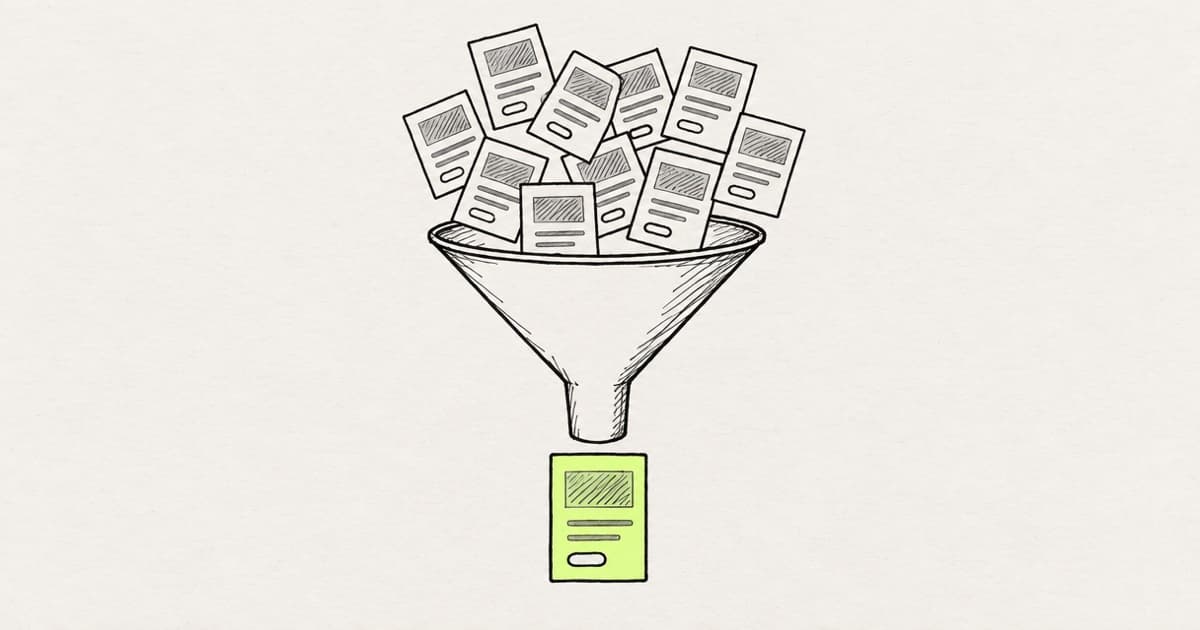
AI for product design helps when it gives you more evidence or more real options. It makes things worse when its output makes a decision look already made.
A product designer owns four decisions on a team: which problem to solve, which option to pursue, which states and edge cases get designed, and what ships. AI is fast at the artifact behind each one. It makes none of them.
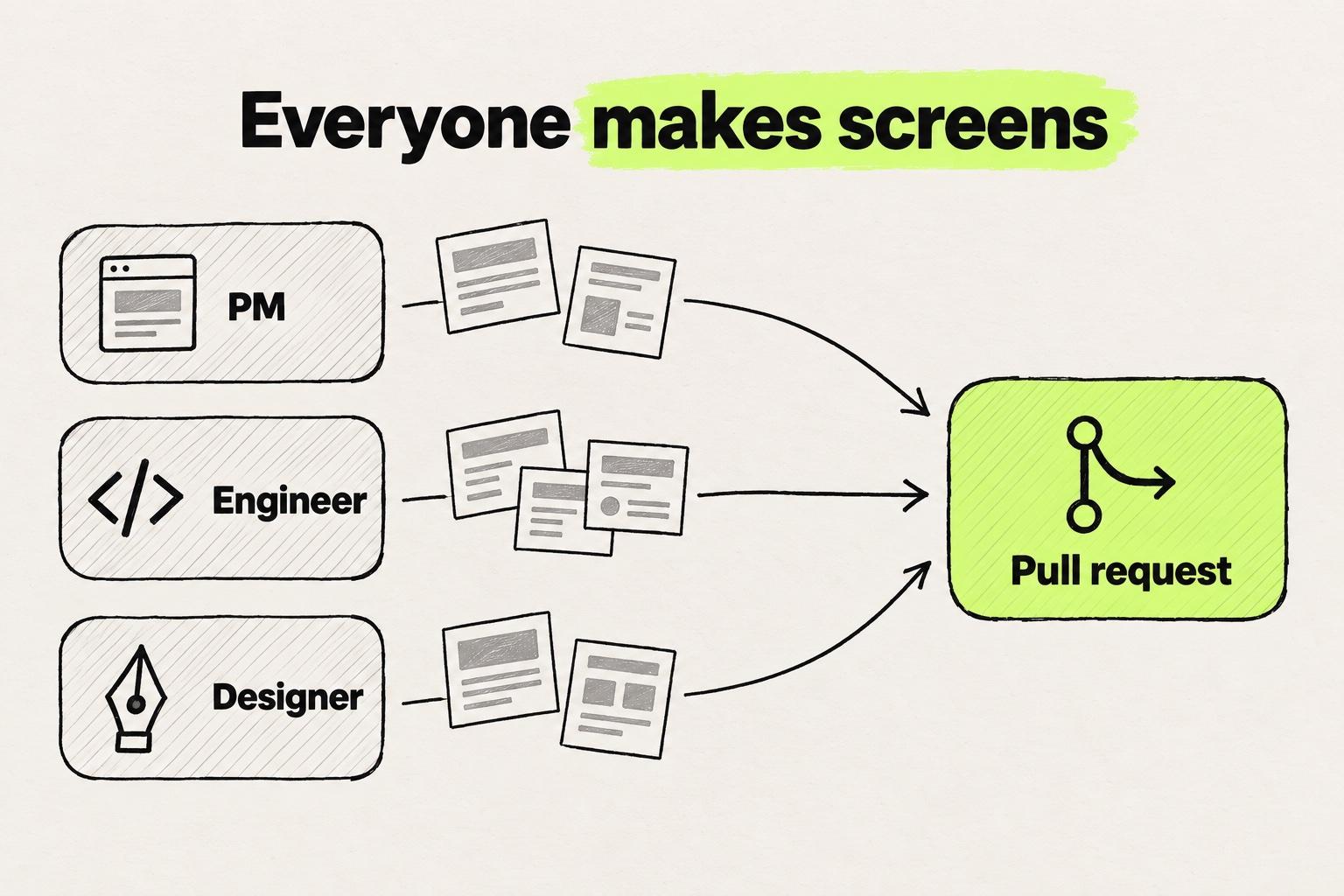
Those decisions matter more now that everyone on the team can make the artifacts. PMs bring AI prototypes to kickoff, and engineers build UI with coding agents. Screens arrive from every direction, so the scarce part of the job is the call on each one. The last call, what ships, has moved into the build.
Key takeaways
- AI is fast at the artifact behind every product design decision and makes none of the decisions. It hurts where its output makes a decision look already made.
- Ask AI to argue against your problem framing. Sketch your own directions before you prompt for variations, and show stakeholders a few options at the fidelity of the question.
- On an existing product, have a coding agent read a screen's states out of the code, then decide which get a design. On a new feature, write the list with the engineer.
- PMs and engineers now generate UI too, so the designer's last decision happens on the running pull request, before it merges.
What a product designer decides, and where AI fits
At kickoff, the PM opens a Lovable prototype of the feature. An engineer has a pull request that a coding agent half built. Your own folder holds twelve generated screens and a problem statement that ChatGPT approved.
You are the one product designer on the squad, and each of those artifacts waits for a call from you. AI touches the four decisions like this:
- Which problem to solve. A draft brief from tickets and feedback, in minutes, that tends to agree with the framing you brought.
- Which option to pursue. Variations faster than you can sketch one, and often a dozen versions of a single idea.
- Which states and edge cases get designed. On an existing product, the states, read out of the code. Without the code, an invented list nobody checked.
- What ships. UI from the PM, the engineers and you, where a prototype can turn into the spec before anyone checks the build.
AI makes the artifact behind every product design decision fast, and makes none of the decisions.
- AI makes it fast
- A draft brief from tickets, feedback and the PRD
- It gets worse when
- The brief agrees with the framing you brought
- AI makes it fast
- Variations in minutes
- It gets worse when
- A dozen variations of one idea
- AI makes it fast
- The states a screen can reach, read from the code
- It gets worse when
- A plausible list nobody checked against the product
- AI makes it fast
- UI from the PM, the engineers and you
- It gets worse when
- A prototype becomes the spec, and nobody checks the build
| Decision | AI makes it fast | It gets worse when |
|---|---|---|
| Which problem | A draft brief from tickets, feedback and the PRD | The brief agrees with the framing you brought |
| Which option | Variations in minutes | A dozen variations of one idea |
| Which states | The states a screen can reach, read from the code | A plausible list nobody checked against the product |
| What ships | UI from the PM, the engineers and you | A prototype becomes the spec, and nobody checks the build |
The four decisions a product designer owns on a product team.
For the UX stages themselves (research, flows, UI and audits), see how AI changes each UX stage. For the tools, with prices, see the roundup of AI tools for product designers, sorted by job. A designer AI workflow example follows one UI change through six stages to a merged pull request.
Deciding what problem to solve: AI drafts the brief and agrees with it
AI is good at the first draft of a problem. Paste in last quarter's support tickets, a feedback export and the PRD, then ask for a draft problem statement and the questions the PRD leaves open. The open questions are often the most useful part.
Writing about product managers in Lenny's Newsletter, Noam Segal and Lenny Rachitsky name the limit: "AI is helping PMs produce, but it lags in helping them think." A designer's brief has the same limit.
The model also leans toward your view. In Towards Understanding Sycophancy in Language Models, Sharma and colleagues at Anthropic found that "AI assistants provide more positive feedback about arguments that the user likes."
So expect "is this the right problem?" to come back with a yes. If you believe onboarding is the problem, check whether the summary quotes only the tickets that say so.
Ask the other question instead. Have the model list the evidence that would make this problem not worth solving, and ask it to argue for the strongest competing problem in the same tickets.
Take the framing, with both sides, to the PM and an engineer before anyone draws a screen. The PM knows which customers asked. The engineer knows which part of the problem the current code makes hard.
Choosing between options: more variations, less variety
AI gives you options in minutes, and on a deadline that is a real gain. Canvas tools such as Figma return frames and code tools such as Claude Code return running screens (how the two kinds of UI design tools differ), both faster than you could draw one.
Variety suffers. Wadinambiarachchi and colleagues studied design fixation and divergent thinking in a CHI paper. They report: "Participants who used AI produced fewer ideas, with less variety and lower originality compared to a baseline." They also found "higher fixation on an initial example".
Doshi and Hauser studied short stories, not designs, and found a similar narrowing. In Science Advances, they report that "generative AI-enabled stories are more similar to each other than stories by humans alone."
On a product team, the narrowing shows up as twelve variations from one prompt that differ in color, radius and spacing. They share one layout and one content priority.
Twelve variations from one prompt are one idea. Three directions you sketch first are three.
Same layout, same content priority. Only the accent, the radius and the spacing change.
Example: one team page, as twelve prompted variations and as three directions.
Three directions that differ in structure (a list, a table or the summary first) give a review something to decide.
We ran into the same narrowing while building our own canvas agent. Asked for three variations, it returned three nearly identical screens in different colors. What fixed it was the advice in this section, built into the agent. Each request now names how many variations and what varies: the layout, color, type or style. Every variation starts from a copy of the original, and the agent picks from layout patterns and color palettes chosen to be far apart. A layout variation now changes the layout, not only the color.
Polish adds a second problem. Huei-Hsin Wang and Megan Brown at NN/g wrote about AI prototyping in real design work. They warn: "Showing polished, high-fidelity AI prototypes that aren't close to finalized without proper framing may sabotage your stakeholder communication. (For example, it may cause a debate about button color when the visual hierarchy isn't even close to being done.)"
Do the direction work yourself, before you prompt. Sketch two or three directions and name what each one varies: the layout, the content priority or the flow. Prompt inside one direction at a time, so the variations explore an idea you chose.
Bring the directions to the review at the fidelity of the question. A question about flow gets grey boxes, so nobody debates the button color.
Specifying states and edge cases: let AI read the code, then decide
On an existing product, the states a screen can reach are already in the code. The API returns errors, permissions decide who sees an action, and plans set limits.
Claude Code's common-workflows docs give an example prompt for following a feature through a codebase: "trace the login process from front-end to database". Its testing recipe goes further: "ask Claude to identify edge cases you might have missed. Claude can analyze your code paths and suggest tests for error conditions, boundary values, and unexpected inputs that are often overlooked."
The recipe is written for tests. Point it at a screen and ask which states the screen can reach, with the source file for each.
Take an "Invite teammate" card with an email field, a role select and a Send invite button. Traced through the code, it can reach five states besides the default:
- Empty: the team has no teammates yet.
- Sending: the invite is on its way.
- Duplicate: the API rejects an email that is already on the team.
- Seat limit: every seat on the plan is taken.
- No access: only admins can invite.
Traced through the code, one invite card reaches six states, and you decide what each one gets.
Invite teammate
- From the code
team/invite-card.tsx- Your call
- Already designed.
Example: an invite card in a made-up codebase. Each state names the file it comes from.
With the file next to each state, you can check the list against the product. Your call is which states get a new design, which reuse the existing empty or error component, and which you cut for now.
Kate Kaplan at NN/g writes in her guidelines for empty states in complex applications: "Don't let empty-state design be an afterthought within your application." She adds: "Totally empty states cause confusion about how and whether the system is working." On the invite card, the empty state is the first thing a new admin sees, so it gets a design of its own.
Without the code, AI invents states, and nothing in the list says which ones the product can reach or where each comes from.
Reading states out of the code only works on a product that exists. For a new feature with no code yet, there is nothing for the agent to trace, so the states list comes from you and the engineer. Write it together before the first screen.
Reviews with PM and engineering: when the prototype arrives first
PMs prototype now. In the same Lenny's Newsletter piece, Segal and Rachitsky write: "With tools like Lovable, v0, and others, PMs are increasingly going from idea to prototype without waiting on design."
A working prototype settles questions a written requirement leaves open, and starting with a prototype is a good habit for a PM too.
On our calls with customers, we hear that a lot of prototyping happens only to present in a meeting. What teams want is a prototype that becomes the feature.
Unless someone decides otherwise, the prototype shown at kickoff becomes the spec. Nobody decided that its layout, its states or its copy were right.
AI prototyping in the product design workflow. A useful prototype answers one question, about a flow, a layout, a piece of content or a technical constraint. Name that question before the review and judge the prototype on it alone. Everything else on the screen stays a placeholder until someone decides it. What AI prototyping actually solves covers which questions a prototype answers well, and where it breaks.
Review a PM's prototype like a sketch. Pull out the decisions it makes without meaning to: which data shows first, what happens on an error, who can see the action. Send them back to the PM as questions. Each answer becomes a line in the spec, which is where those decisions belong.
Sit with the engineer who will build it and mark which parts use existing components and which were invented for the demo. The invented parts are where the build will drift, and the engineer can usually spot them faster than you can.
Deciding what ships: the check moves into the build
With AI in the design workflow, the last decision moves. When the PM, the engineers and you all generate UI, what ships gets decided in the build, on the running change, before it merges. That check is design QA, and the designer does it on the pull request.
Figma's AI report, by Madeline Stafford and Shane Johnston, names the shift: "When prototyping is fast, choosing what ships is more important."
Google's DORA research describes AI's effect on a team: "AI's primary role is as an amplifier, magnifying an organization's existing strengths and weaknesses." In design terms, a team that followed its design system loosely before AI now ships off-system components faster.
We hear the same thing on our calls with customers: once engineers build UI with coding agents, designers spend their time fixing the drift after them, because the agents write UI faster than anyone reviews it against the components.
Accessibility slips the same way. In the CodeA11y paper, Mowar and colleagues at Carnegie Mellon describe developers' "failure to prompt AI for accessibility" when they build with AI coding assistants.
Run the change from that pull request and check it against the calls you made earlier:
- The direction: the structure you picked in the review is the one that got built, not one of the twelve variations.
- The states: each state you marked for a design shows up in the running app, and the ones you marked for reuse use the existing component.
- The demo parts: whatever the PM's prototype invented has been replaced with the team's own components.
- Accessibility: nobody prompted the agent for it, so check that the flow works from the keyboard.
What to compare in a design QA pass covers the full pass. Fix what you find in the pull request, where the engineer reviews your fix. Engineers keep the merge, and you keep the call on whether the change looks and behaves as decided.
Modeinspect works at this step, for Next.js React codebases that use Tailwind. Paste a GitHub pull request link and you get a canvas running that code. Fixes you make on that canvas open as a new pull request stacked on the original, so nothing is committed to the original pull request. The pull request has to come from a branch in the connected repo, not a fork. The design panel has no hover, focus or other state switcher, so you ask the agent for state changes.
Your next feature, decision by decision
- Paste the tickets behind the feature into a model and ask for the evidence against solving it. Bring both sides to the PM and an engineer.
- Sketch your directions before you prompt for any variations.
- Ask a coding agent which states the screen can reach, with the file each one comes from, and mark each one: design, reuse or cut.
- When the PM's prototype arrives, write down the one question it answers.
- Run the change from its pull request and check the direction, the states and the demo parts against your notes. The first pull request walkthrough for designers covers opening one from a branch.
For a new feature with no code yet, sit down with the engineer before kickoff and write the states list together.
Frequently asked questions
How do you use AI for product design?
Use AI for the artifact behind each decision, and keep the decision yourself. Let it summarize tickets into a draft problem statement, then ask it to argue against that problem. Prompt for variations inside directions you sketched first. On an existing product, have a coding agent list the states a screen can reach from the code. Then check the running change in the pull request before it merges, because that is where what ships gets decided.
What is an AI design workflow?
An AI design workflow uses AI for the artifacts behind each product design decision (a draft brief, variations, a states list, code) and keeps the decisions with people. Deciding what is worth building, and checking what got built, stay with the designer, the PM and the engineers. A worked example of the full design workflow follows one change through six stages.
Is AI in product design different from AI in UX design?
They overlap, and the focus differs. AI in UX design covers the stages of user experience work: research, flows, UI and audits. AI in product design covers the decisions a product designer owns inside a product team: which problem, which option, which states, and what ships. It also covers working with PMs and engineers who now generate UI themselves. AI across research, flows, UI and audits has the stage-by-stage view.
What stays with the product designer when PMs and engineers use AI?
The decisions stay, but who makes the screens has changed. Lenny's Newsletter reports that PMs increasingly go from idea to prototype without waiting on design. Engineers build UI with coding agents too. What stays with the designer is the set of decisions: which problem to solve, which option to pursue, which states get designed, and whether the build matches. In Figma's AI report, "the real edge is knowing what's worth shipping." On a team where everyone generates UI, there is more of that work, not less.
Does AI make product design better or just faster?
Faster at the artifacts, and better only where you protect the decisions. In a CHI paper, Wadinambiarachchi and colleagues found that participants who used AI "produced fewer ideas, with less variety and lower originality compared to a baseline." Sharma and colleagues at Anthropic found that AI assistants give more positive feedback on arguments the user likes. Sketch your own directions before prompting, and ask AI to argue against your framing.
Can AI find edge cases in a design?
On an existing product, yes, when it reads the code. Claude Code's docs suggest asking it to "identify edge cases you might have missed". Point the same request at a screen and ask for the errors the API returns, the limits and permissions that apply, and any list that starts empty. Ask for the file each state comes from so you can check it. For a new feature with no code yet, write the list with the engineer.
How should a designer work with a PM who prototypes with AI?
Treat the prototype as a sketch with one question behind it. Ask the PM which question it answers, and judge it on that. Pull out the decisions it makes by accident, such as which data shows first or what happens on an error, and send them back as questions. With the engineer who will build it, mark which parts use existing components. That keeps the prototype useful without letting it become the spec.