404 · Emoji · Interaction
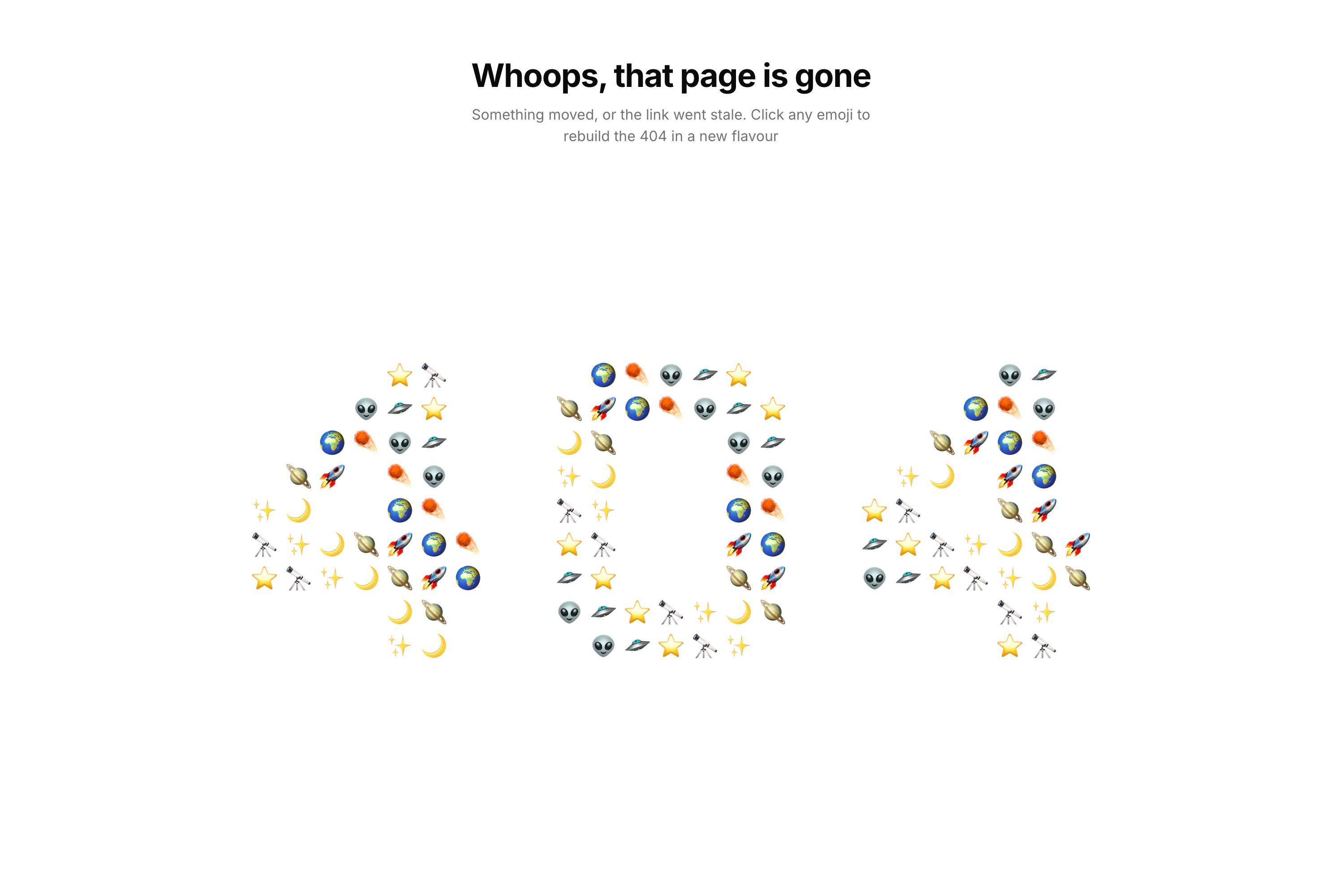
A "Page not found" screen with a big "404" made of emoji, centered in the viewport. Above it sit the heading "Whoops, that page is gone" and a two-line note: "Something moved, or the link went stale. Click any emoji to rebuild the 404 in a new flavour." Clicking any emoji moves the whole number on to the next set: faces, animals, plants, food, vehicles or space.
The details
- The digits are pixel bitmaps, 7 by 9 cells each, with strokes two emoji thick. A deterministic picker chooses the emoji for each cell, so they don't reshuffle when the page re-renders.
- Sizing uses a
vmin-based font-size clamp, with cells measured inem, so the number scales with the screen and stays centered. - Swapping sets happens in two steps. All emoji shrink away together over 200ms, the grid stays empty for a 60ms pause, then the new set grows in together.
- The heading is shaped like an upside-down triangle. The title is the widest line, and the description wraps into a full first line and a shorter second one.
How it evolved
The first version had a slider for picking a category. Over several rounds it became a free-dragging slider that sprang into place when released, with the current category's emoji as the handle. A staggered swipe effect between sets was replaced with the plain shrink-and-grow swap. Later rounds made the digits bolder, let clicks change single emoji, and added a "one emoji only" toggle. At the end, the designer removed the slider, the toggle and the category labels, leaving clicks on the emoji as the only control.